
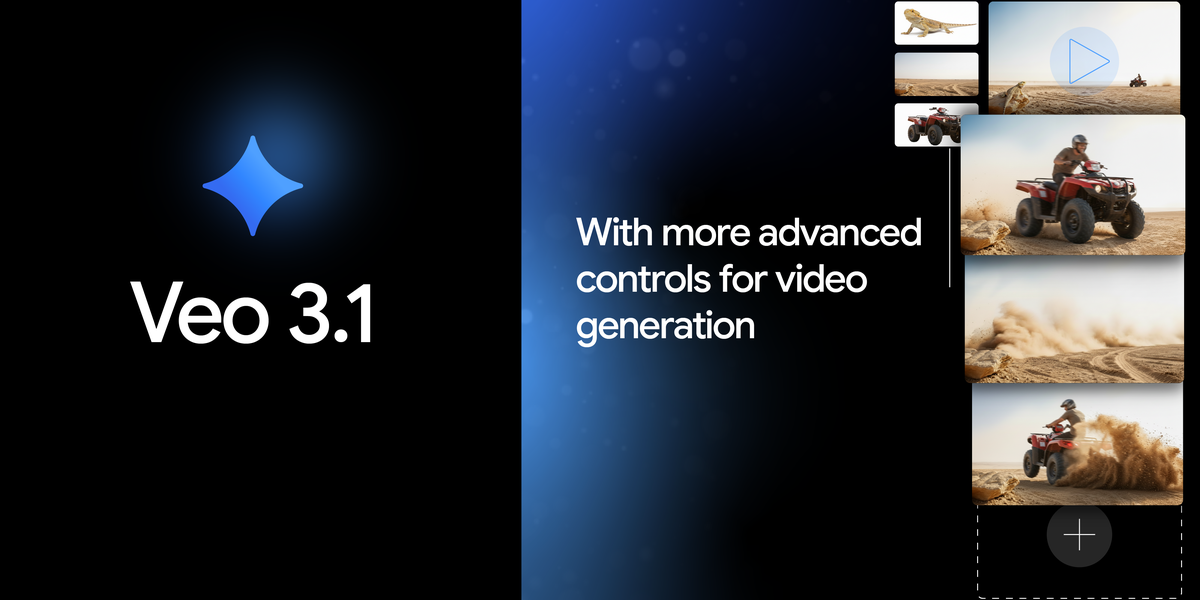
Veo 3.1 and Gemini API: Google's Latest AI Video Push Under the Microscope
Google says Veo 3.1 and the Gemini API will help you make a huge creative jump. But I'm wondering, do these new features really give creators more power, or are they just small upgrades in the fast-changing world of AI video? This reminds me of the big talk about how AI truly affects creativity, a topic I've looked at before in Veo 3.1: Google's Cinematic AI Vision Meets Reality (and Reasoning Gaps). I've checked out all the official news, the tech details, and what people are saying online to give you the honest truth.
Quick Overview: What Google Says vs. What's Really Happening
Here's the deal: Google just launched Veo 3.1 and Veo 3.1 Fast. You can try them out now through a paid preview using the Gemini API, Google AI Studio, and Vertex AI. You'll even spot Veo 3.1 in the Gemini app and Flow. Google officially says these updates are all about giving creators like you more power to make awesome videos, with big improvements everywhere (Google AI Blog).
But wait, there's a catch. Honestly, when I looked at what people were saying in online forums, the real experience for some creators is a bit more complicated. While the idea sounds great, actually getting these new tools to work smoothly isn't always easy. For example, projects like 'Showbiz,' which is a free AI video editor, are already using Veo 3 and the Gemini API. But even they've run into some common problems that developers often face.
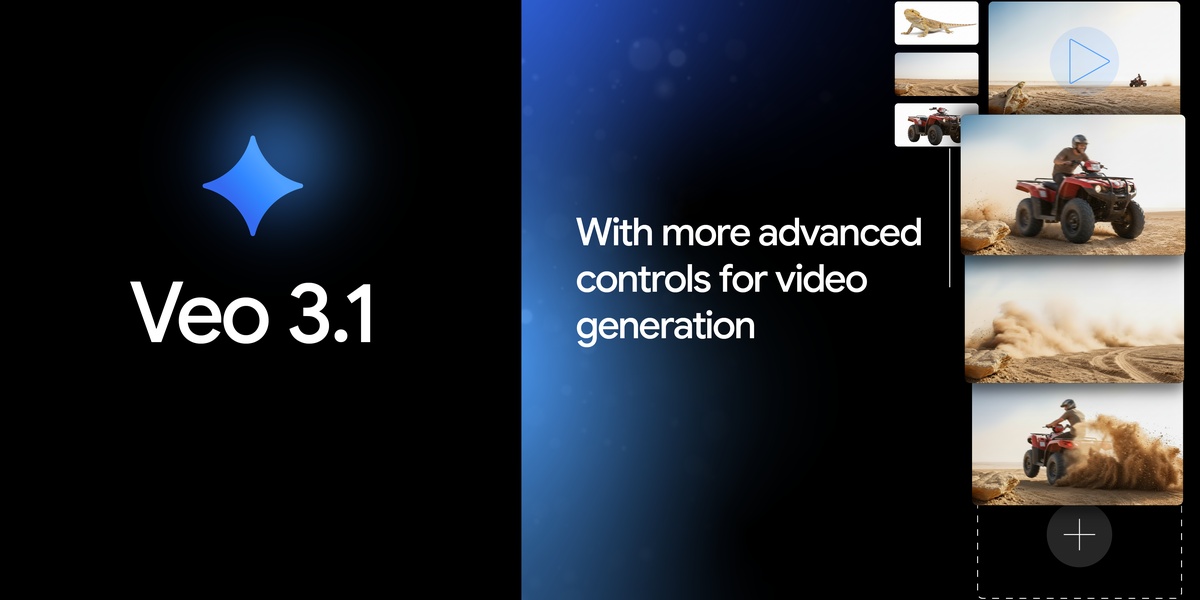
Table of Contents
Watch the Video Summary
A Closer Look: How This New Tool Works
Let's peek behind the curtain. Veo 3.1 comes with some really cool improvements. For starters, you get much better sound – think natural conversations and sound effects that perfectly match your video. You also get more control over your story, because the AI now understands different movie styles better. The improved ability to turn images into videos is a huge plus! It means your videos will follow your instructions better, look and sound amazing, and keep your characters looking the same in different scenesGoogle AI Blog.
This focus on making things consistent and giving you more control fits right in with the 'ingredients to video' idea I talked about in Veo 3.1's 'Ingredients to Video': Google's Recipe for Consistency, Creativity, and Control in AI-Generated Content.
What's new? You can now guide your video creation with up to 3 reference images. This is a game-changer if you want to keep characters looking the same or use a specific style throughout your video. Also, there's Scene extension, which lets you make longer videos – even a minute or more – by smoothly adding new clips to what you've already made. And if you need smooth changes between scenes, Veo 3.1 can now create natural connections between your first and last video frames, complete with matching soundGoogle AI Blog.
This isn't just about cool technology; it's about real-world results. For big companies already using AI to create things, a huge 86% say they've made more money, with about a 6% boost (Google Cloud Blog). This shows how much these new AI tools can help businesses grow, and it's why these innovations keep coming.
Practical Application: Generating Video with Veo 3.1 and Python
To truly understand Veo 3.1's capabilities, let's walk through a practical example of generating a video using the Gemini API with Python, incorporating reference images for style guidance. This snippet demonstrates how to initialize the client, upload reference images, define a prompt, and initiate the video generation process, including polling for completion and downloading the final output.
import time # For pausing execution during polling
from google import genai # Google Gemini API client library
from google.genai import types # Data types for API requests and responses
import pathlib # For handling file paths

# Initialize the Gemini client.
# Ensure your API key is configured, e.g., as an environment variable or passed directly.
# For Google Colab, you might use: from google.colab import userdata; client = genai.Client(api_key=userdata.get('API_KEY'))
client = genai.Client()

# Define your creative prompt for the video.
prompt_text = "A serene mountain landscape at golden hour with clouds drifting slowly, with a consistent style from the reference images."

# --- Prepare and upload reference images ---
# These images will guide the style, character, or specific elements of the generated video.
# In a real application, replace 'path/to/image1.jpg' and 'path/to/image2.jpg'
# with actual paths to your local image files.
# For this example, we'll create dummy files if they don't exist.
dummy_image_path_1 = pathlib.Path("dummy_ref_image1.jpg")
dummy_image_path_2 = pathlib.Path("dummy_ref_image2.jpg")

# Create simple dummy JPEG files for demonstration if they don't exist
if not dummy_image_path_1.exists():
    with open(dummy_image_path_1, "wb") as f:
        f.write(b'\xFF\xD8\xFF\xE0\x00\x10\x4A\x46\x49\x46\x00\x01\x01\x00\x00\x01\x00\x01\x00\x00\xFF\xD9')
if not dummy_image_path_2.exists():
    with open(dummy_image_path_2, "wb") as f:
        f.write(b'\xFF\xD8\xFF\xE0\x00\x10\x4A\x46\x49\x46\x00\x01\x01\x00\x00\x01\x00\x01\x00\x00\xFF\xD9')

# Upload the local image files to the Gemini API.
# The API returns a File object with a URI that can be used as a reference.
print(f"Uploading reference image 1: {dummy_image_path_1}")
uploaded_file_1 = client.files.upload(file=dummy_image_path_1)
print(f"Uploaded file 1 URI: {uploaded_file_1.uri}")

print(f"Uploading reference image 2: {dummy_image_path_2}")
uploaded_file_2 = client.files.upload(file=dummy_image_path_2)
print(f"Uploaded file 2 URI: {uploaded_file_2.uri}")

# Construct the list of reference images using the URIs of the uploaded files.
reference_images_list = [
    types.Image(uri=uploaded_file_1.uri),
    types.Image(uri=uploaded_file_2.uri)
]

# Initiate the video generation process using the 'veo-3.1-generate-preview' model.
# The 'config' parameter allows specifying additional settings like aspect ratio, resolution, and duration.
print("Starting video generation...")
operation = client.models.generate_videos(
    model="veo-3.1-generate-preview", # Specifies the Veo 3.1 model variant
    prompt=prompt_text, # The text prompt guiding the video content
    config=types.GenerateVideosConfig(
        reference_images=reference_images_list, # List of images to influence the video
        aspect_ratio="16:9", # Optional: Common widescreen aspect ratio
        resolution="720p",   # Optional: Standard high-definition resolution
        duration_seconds=8   # Optional: Desired length of the generated video in seconds
    ),
)

# Poll the operation status until the video generation is complete.
# Video generation is an asynchronous process, so we wait for it to finish.
print("Waiting for video generation to complete...")
while not operation.done:
    time.sleep(10) # Pause for 10 seconds to avoid excessive API calls
    operation = client.operations.get(operation.name) # Fetch the latest status of the operation

print("Video generation complete!")

# Retrieve and download the generated video if successful.
if operation.response and operation.response.generated_videos:
    video = operation.response.generated_videos[0] # Get the first generated video
    output_filename = "generated_veo_video.mp4"
    client.files.download(file=video.video, output_file_name=output_filename) # Save the video locally
    print(f"Generated video saved to {output_filename}")
    print(f"Video URI: {video.video.uri}") # Display the URI of the generated video
else:
    print("No video generated or an error occurred during the process.")
    if operation.error:
        print(f"Error details: {operation.error.message}") # Print error message if available

# Optional: Clean up uploaded files from the API (good practice for resource management)
# client.files.delete(name=uploaded_file_1.name)
# client.files.delete(name=uploaded_file_2.name)
# print("Cleaned up uploaded reference images from API.")

# Optional: Clean up dummy image files from local directory
dummy_image_path_1.unlink(missing_ok=True)
dummy_image_path_2.unlink(missing_ok=True)
print("Cleaned up local dummy reference image files.")
Hypothetical Output: After running this script, you would see console messages indicating the upload of reference images, the start of video generation, and the polling process. Once complete, a file named generated_veo_video.mp4 would be saved to your local directory, containing an 8-second video of a mountain landscape at golden hour, with clouds, rendered in a style influenced by the provided reference images. The console would also display the URI of the generated video asset.
from google import genai
from google.genai import types

client = genai.Client()
operation = client.models.generate_videos(
    model="veo-3.1-generate-preview",
    prompt=prompt,
    config=types.GenerateVideosConfig(
        reference_images=[reference_image1, reference_image2],
    ),
)
Under the Hood: Technical Specifications and Current Limitations
Delving into the technical specifics, Veo 3.1 introduces several key capabilities and important considerations for developers:
- Resolution and 4K Availability: Veo 3.1 supports video generation in 720p, 1080p, and even 4K resolutions. However, it's crucial to note that 4K output is not available for the Veo 3.1 Lite model. Furthermore, the video extension feature, which allows for longer clips, is currently limited to 720p. Higher resolutions generally result in increased latency and higher costs. This implies a trade-off between visual fidelity, generation speed, and budget, especially for extended content.
- Multi-Reference Image Support: A significant enhancement is the ability to use up to three reference images. These images can be leveraged to guide the content, style, and character consistency throughout the generated video, offering creators more granular control over the visual output. This is a substantial improvement for maintaining visual coherence across scenes or for specific branding requirements.
- Enhanced Video Extension: Veo 3.1 addresses a common limitation of AI video generation—short clip lengths—by offering robust video extension capabilities. It can seamlessly extend existing videos, adding new clips that maintain consistency and create natural transitions between frames, allowing for the creation of longer, more narrative-rich content. This moves beyond generating isolated short clips to enabling more complex storytelling.
Veo 3.1 vs. Older Versions: A Quick Look
| Feature | Veo 3 | Veo 3.1 |
|---|---|---|
| Pricing | Base Price | Same as Veo 3 |
| Max Video Length (Initial Gen) | Up to ~30 seconds (estimated) | 1+ minute (with Scene Extension) |
| Reference Images Supported | Fewer/None (implied) | Up to 3 |
Real-World Success: How People Are Using It
It's always cool to see these tools actually being used. For example, Promise Studios, a movie studio that uses AI, is already using Veo 3.1 in its MUSE Platform. This helps them quickly create storyboards and see how their movies will look before filming. This means directors can quickly try out ideas and see their stories come to life with high quality. Also, Latitude is trying out Veo 3.1 in its AI story-making tool, hoping to instantly turn stories made by users into videos (Google AI Blog).
The results are clear. Experts are saying that using Google's Imagen 3 (another helpful AI tool, and Veo is expected to offer similar benefits) helped them create hundreds of thousands of custom images and videos. This made their creative work better and saved a lot of time and money (Google Cloud Blog). This really shows how powerful these AI tools can be for anyone creating content.
How It Works: Easy Access & Cost
For anyone building things, getting access easily is super important. You can easily get Veo 3.1 through the Gemini API, Google AI Studio, and Vertex AI. This means you can use it in whatever coding setup you like best. And if you're watching your spending, Google has confirmed that Veo 3.1 costs the same as Veo 3 (Google AI Blog). That's good news if you're already using it!
What People Are Saying: The Good, The Bad, and The Fixes
I checked out the online forums so you don't have to! What I found is that people are excited, but they're also running into some real-world problems. While Veo 3.1 can do some amazing things, actually getting it to work smoothly in your projects can be tricky. For example, one developer working on a project called 'Showbiz' pointed out a big problem: "The hardest problem, video playback" when trying to show videos in a web window (u/vibecoding on Reddit).
This means it can be complicated to put AI-made videos into computer programs or websites.
Another common issue is that you need "your own Google API key" (u/vibecoding on Reddit). While this is normal for using these kinds of tools, it can still be a hurdle for people just starting out or those who haven't used Google's set of tools before. It adds an extra step you have to do before you can even start playing around with it.
Other Ways to Look at It & More Evidence
It's good to remember that Veo 3.1 isn't just a standalone tool. It's part of Google's bigger, strong collection of AI tools. A really helpful tool that works well with Veo is Imagen 3. This is Google's best model for creating high-quality images, and you can now use it easily through Vertex AI (Google Cloud Blog).
This means you can make amazing images and then use Veo to turn them into videos, giving you a complete and powerful way to create content from start to finish.
Google is also really focused on making sure its AI is used responsibly. Veo and Imagen 3, when used with Vertex AI, have built-in safeguards. These include digital watermarks (called SynthID) to help fight against false information, strong safety filters, strict rules for data handling (your personal data isn't used to teach the AI), and even copyright protection (Google Cloud Blog).
This dedication means you can trust these tools more, and they offer important security for both individual creators and big companies.
My Advice & What I Think
So, should you jump into Veo 3.1? My answer is a big yes, but with a small warning. If you're an AI creator, a creative pro, or just a tech fan who wants to do amazing new things with video, you should definitely check out the paid preview of Veo 3.1. You can do this through the Gemini API, Google AI Studio, or Vertex AI (Google AI Blog).
The good things you could get are clear: make videos faster, spend less money, and quickly try out and improve your video ideas. But, be ready to learn some new things, especially if you're new to Google's set of tools or if you're trying to handle complicated video playback. If Veo 3.1's special features don't quite fit what you need for your project, or if you find it too hard to get working, then think about trying other strong tools from Google, like Imagen 3 for great images, or other AI video tools from different companies.
Common Questions You Might Have
-
Is Veo 3.1 a huge creative jump for creators, or just a small step forward?
Google talks about a 'creative leap,' and I think Veo 3.1 does bring big improvements in areas like controlling your story and keeping things consistent. This makes it a really strong tool for certain creative projects. But for some people, these improvements might feel like small steps in the fast-changing world of AI video.
-
What are the biggest problems creators run into when trying to use Veo 3.1 and the Gemini API?
People online have pointed out problems like complicated video playback in web windows, and the first challenge of getting and setting up a Google API key. If you're new to Google's set of tools, you might find it takes a bit more effort to learn.
-
Considering the cost and how complex it can be, when should I choose Veo 3.1 instead of other AI video tools?
Veo 3.1 is perfect for AI creators and creative pros who want to make high-quality, consistent videos. It's especially good if you plan to use features like multiple reference images and extending scenes. Plus, because it's built with Google's responsible AI rules, it offers an extra layer of trust, especially for big companies.
Sources & References
- Introducing Veo 3.1 and new creative capabilities in the Gemini API - Google Developers Blog
- Error 404 (Not Found)!!1
- Introducing Veo and Imagen 3 on Vertex AI | Google Cloud Blog
- Error 404 (Not Found)!!1
- Veo — Google DeepMind
- Veo 3.1 | Generative AI on Vertex AI | Google Cloud Documentation
- Video models are zero-shot learners and reasoners
- AI-Generated Video Detection via Perceptual Straightening — Google DeepMind
- Error 404 (Not Found)!!1
- Is Veo 3.1 worth the attention? Honest review and results - YouTube
- Error 404 (Not Found)!!1
- I Tried AI Video Generators for 7 Days — Here’s What Happened | by Aayushi Sinha | Write A Catalyst | Apr, 2026 | Medium
- Error 404 (Not Found)!!1
- The Hidden Downsides of Google's Gemini AI You NEED to Know!
- Google Veo 3 vs 3.1. The unfiltered verdict | Definition
- Error 404 (Not Found)!!1

Yousef S. | Latest AI
AI Automation Specialist & Tech EditorSpecializing in enterprise AI implementation and ROI analysis. With over 5 years of experience in deploying conversational AI, Yousef provides hands-on insights into what works in the real world.




