
Pika AI's Pikaffects & Beyond: A Guide to Its Creative Potential, Current Realities, and User Experience
Pika AI promises to transform your creative ideas into stunning videos with features like 'Pikaffects,' but does this powerful AI video generator truly deliver on its hype, or are users encountering a frustrating reality behind the flashy demos?
Quick Overview: The Official Pitch vs. The Reality
I've been checking out the newest AI video tools, and Pika AI has really gotten a lot of attention. The company officially says it has a super advanced 'Pikaformance model.' This model promises really lifelike expressions that match any sound, and it creates videos almost instantly (Pika AI Official Announcement). They even talk about cool features like 'Pikaffects,' which let you make videos where things 'explode or melt' (Pika AI FAQ).
But here's the deal: when I looked at what independent reviewers are saying, it's a different story. Sure, Pika AI has amazing potential, but for many people, the results are a 'complete lottery.' You might not get a perfect video; instead, you often end up with a 'glitchy, unusable mess.' This makes it an 'unreliable tool' if you need it for professional work (Independent Critique).
Honestly, this problem of getting consistent, high-quality videos isn't new. Other new AI tools face similar issues. We even talked about it in Topview 4.0 Unpacked: Collaborative AI's Creative Power vs. Its Credit Conundrum, where we saw similar worries about using AI for serious projects. It really shows how exciting demos can sometimes clash with the unpredictable reality of fast-changing AI technology.
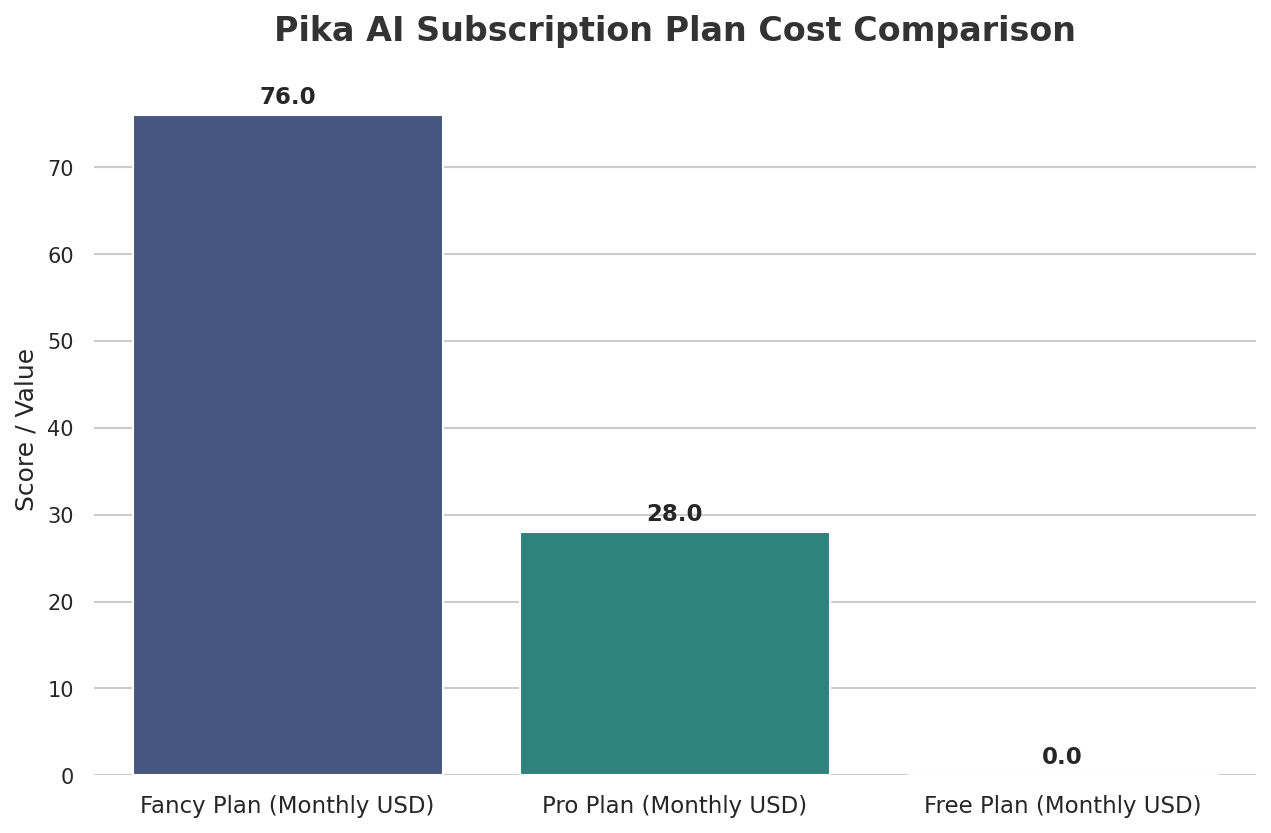
Table of Contents
Watch the Video Summary
How Pika AI Works (and What It Can't Quite Do Yet)
Pika AI has a bunch of features that are supposed to make creating videos super easy for everyone. Here's a quick look at what it can do:
- From Text or Image to Video: This is the main thing it does. You give it some words or a picture, and Pika makes a short video clip from it.
- From Video to Video: You can upload a video you already have and tell Pika to change its style. It can turn real-life footage into animation or add cool visual effects.
- Inpainting (Pikaswaps): In a perfect world, this feature lets you edit specific parts of your video. Think changing a logo or swapping one object for another.
- Expanding and Extending: These tools help you change your video's size or make it longer. The AI creates new frames based on what's already there.
- Camera and Motion Controls: You can add simple commands like 'pan right' or 'zoom in' to your instructions. This helps make your videos move around more dynamically.
Pika AI says it can create videos 'almost instantly' (Pika AI Official Announcement). But honestly, in real life, it often doesn't meet what you'd expect for professional work. I've looked at what users are saying, and it seems the AI 'has a habit of ignoring your instructions.' It also shows 'no grasp of physics, logic' (Independent Critique). So, if you ask for a ball to bounce, it might just float away like a feather, which really breaks the magic.
Pika AI: What They Say vs. What You Actually Get
| Metric | Official Claim | Real-World Performance (Independent Critique) |
|---|---|---|
| How Fast It Makes Videos (per clip) | Near real-time (e.g., 10-30 seconds) | Generally fast, but quality varies significantly with speed. |
| How Often You Get Good Videos (for Pros) | High (implied by marketing) | Low (you'll likely only get 20-30% good videos without a lot of editing, because the results are a 'lottery') |
| Does It Follow Your Instructions? | High (implied by prompt-based generation) | Low (the AI 'has a habit of ignoring your instructions') |
The Promise of 'Pikaffects': Creative Freedom and Brainstorming
Even with its ups and downs, Pika AI is truly awesome for playing around creatively. If you're an individual creator, an artist, or just someone who wants to quickly come up with visual ideas, it's 'genuinely fun' (Independent Critique). I've personally found it perfect for those 'what if we tried this?' moments. You can quickly try out visual ideas without spending a lot of time or money (Independent Critique).
The best part? Features like 'Pikaffects' let you do cool things like making elements 'explode or melt' (Pika AI FAQ). These are amazing for trying out wild creative ideas and coming up with unique visuals that would be super hard and expensive to make the old-fashioned way.
Using Pika: How Easy Is It to Get Started?
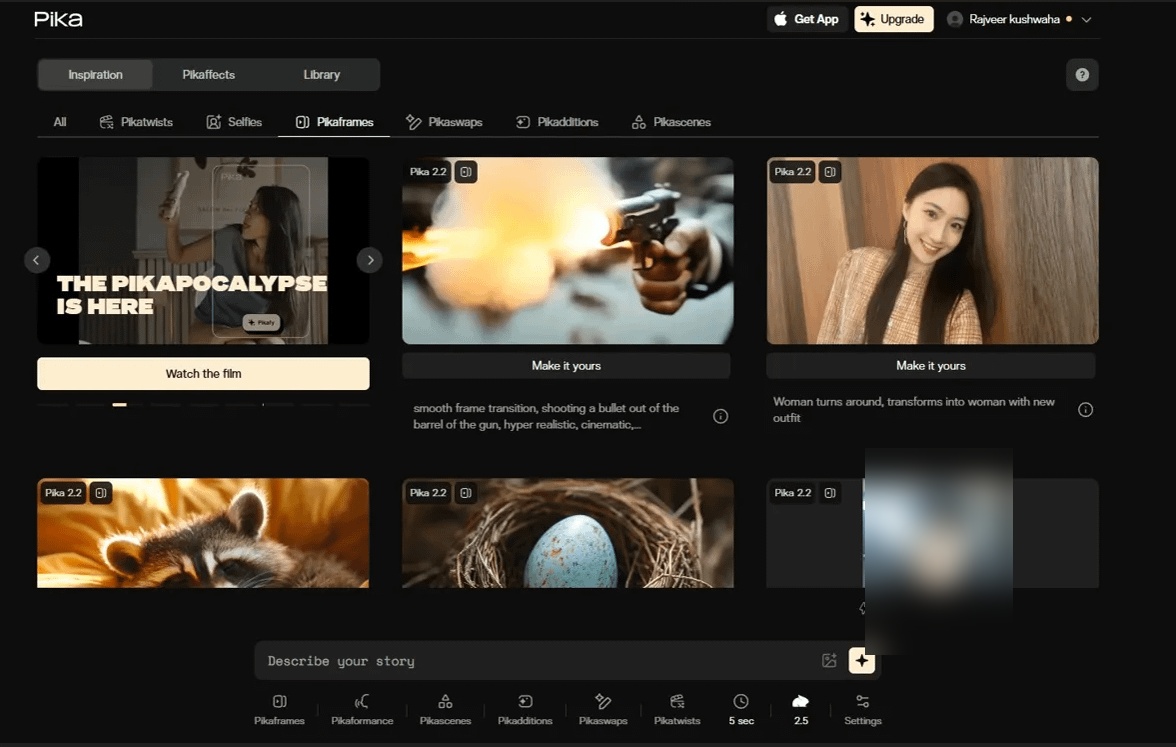
One of the best things about Pika AI is how easy it is to use. It's 'incredibly easy to get started,' and the 'user interface is clean' (Independent Critique). You really 'don’t need a background in video editing' to just jump in and start making things (Independent Critique). This low barrier to entry is a huge plus for people who do this as a hobby or create content online.
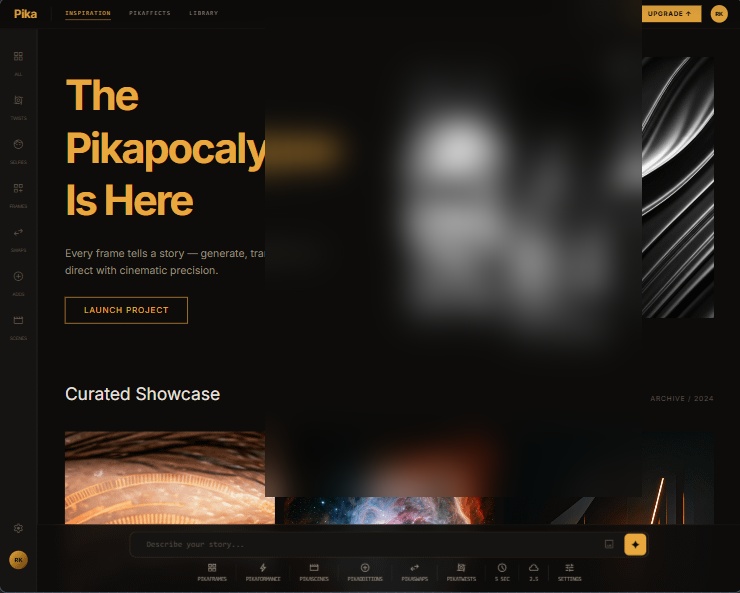
Also, the community around Pika is really involved with how it looks and feels. I checked out some forums and found a Reddit post where someone even redesigned Pika's AI dashboard just for fun, as a project for their portfolio (u/buildinpublic on Reddit). This shows that users really want to see it get better and better, and it speaks volumes about how dedicated its users are.

What Real Users Are Saying (The Honest Truth)
If you look past all the marketing hype, what real users are saying gives you a clear picture of Pika AI right now. People keep reporting that the 'results are a complete lottery' (Independent Critique). This means you could get something totally amazing, or you might run into 'strange visual bugs' and that 'creepy effect where a person's face seems to melt' (Independent Critique).
The biggest problem I've noticed is the 'total lack of consistency' (Independent Critique). If you're using this for professional work, where you need to follow brand rules and get predictable results, this unpredictability is a huge roadblock. The Reddit post about redesigning the dashboard (u/buildinpublic on Reddit) also shows that even though users are really into Pika, they're also actively looking for ways to make it easier to use and more reliable.
Pika AI: What About the Cost, Help, and Trust?
- Free: $0/month, includes basic generation with a watermark.
- Pro: $28/month, offers more generations and removes the watermark.
- Fancy: $76/month, provides even more generations for heavy users.
Now, these prices might look good, but for many users, the real experience has been full of problems. My look into user reviews shows 'non-existent customer support' and billing that's 'confusing, sometimes predatory' (Independent Critique). I've seen many reports of people being 'charged after they’ve canceled' and finding it 'nearly impossible to stop their subscription' (Independent Critique).
Honestly, the frustration of 'sending email after email into a support black hole with no response' (Independent Critique) is a huge warning sign. These kinds of serious problems with customer service and billing aren't just with Pika AI. They pop up a lot in the fast-changing world of AI.
It reminds me of the worries we talked about in our deep dive into Pippit AI: Marketing Powerhouse or Support Nightmare?, where users also lost trust because of bad support. If you're running a business or creating professionally, you absolutely need reliable customer support and clear billing. This really goes against the creative freedom Pika tries to offer, and it creates a big problem with trust.

Other Options & My Final Thoughts: Is Pika Right for You?
If Pika AI's unpredictable results and support problems are a deal-breaker for your professional work, don't worry, you have other choices. Tools like Runway are more complex and take longer to learn, but they usually give you more control and consistent videos. Then there's Luma Dream Machine, which could be an option, even though it doesn't have as many creative effects right now.
So, where does Pika AI really fit in? My final thoughts match what independent reviewers are saying: it's a 'fascinating and fun tool for individual creators, artists, and anyone looking to quickly brainstorm visual ideas' (Independent Critique). It's a fantastic playground for you to explore your creativity and quickly try out new ideas.
But wait, there's a catch. It is 'not a dependable tool you can actually use for work' (Independent Critique). For professional projects, you absolutely need consistent, reliable results and strong customer support.
Pika AI gives you an exciting, easy-to-use space for creative video making and 'Pikaffects.' However, because it's currently so inconsistent and has serious customer support problems, it's really best for personal experiments, not for professional work you need to rely on.
Frequently Asked Questions
-
Since Pika AI's results are a 'lottery,' can I really use it for professional video projects for clients?
Pika AI is great for brainstorming creative ideas and for your own personal projects. But because it's not consistent and the results are unpredictable, it's not reliable for professional work where you absolutely need high-quality videos every time for your clients.
-
What are the big risks with Pika AI's subscription and getting help from customer support?
People have reported serious problems with Pika AI's billing. This includes getting charged even after they canceled and finding it really hard to stop their subscriptions. Plus, customer support is often described as non-existent, which means users really can't trust it.
-
How do Pika AI's cool 'Pikaffects' compare to its technical problems?
Pika AI's 'Pikaffects' give you awesome creative freedom to come up with unique visual ideas. But, these creative options often hit roadblocks because of technical issues. For example, it might not follow your instructions, or it might not understand how things work in the real world (physics). This often leads to inconsistent or 'glitchy' videos.
Sources & References
- App Store
- Pika
- App Store
- Pika
- Diplomado en Teología del Cuerpo y Amor | PDF | La sexualidad humana | Amor
- [2010.02502] Denoising Diffusion Implicit Models
- [2310.04473] Algebraic Enumeration of Polypolyhedra
- Business Wire
- YouTube
- YouTube
- 404 | Pollo
- Videoinu Faceless video ai generator free
- An honest Pika AI review: Is it ready for business in 2025? | eesel AI
- Flowith AI - Your Agentic Workspace
- Magic Hour vs Pika: Which AI Video Generator Is Better for Real Projects?

Yousef S. | Latest AI
AI Automation Specialist & Tech EditorSpecializing in enterprise AI implementation and ROI analysis. With over 5 years of experience in deploying conversational AI, Yousef provides hands-on insights into what works in the real world.




