Latest AI is a professional, English-language publication dedicated to elevating understanding of artificial intelligence across industry and research. We publish rigorously researched explainers, reproducible experiments, and tactical guides that span Machine Learning, Natural Language Processing, Computer Vision, Robotics, Generative AI, AI Ethics, and pragmatic AI Applications. Our mission is to close the gap between academic advances and production-ready deployment: we analyze SOTA research,
Replit Animation: Your AI Guide to Programmatic Motion Graphics (and Its Current Limits)
Imagine making awesome animated videos just by typing a few sentences. Replit Animation says this is possible, but how well does its AI-powered, code-writing method actually handle what you need for today's content?
Replit Animation: The Official Pitch vs. Reality
Replit Animation is a cool new tool that helps you make animated videos just by chatting with an AI assistant called Agent. Here's the deal: it's all about 'programmatic animation,' meaning it writes code (using React) to make your animations. This is a really important difference.
Honestly, this isn't like those other AI video tools you might know, like Runway or Sora, which make full videos. We've actually looked closely at those AI Video Generators before. Instead, Agent uses special web animation tools and its own smarts to write the actual code for your animations. The best part? Anyone using Replit can use it, even if you're on the free plan. That's a huge plus for getting started!
I recently took Replit Animation for a spin to create a quick 10-second explainer video for a hypothetical new feature on a productivity app. My goal was to showcase a simple 'task completion' animation: a checkmark appearing with a subtle bounce, followed by a brief text overlay. I started by opening a new Replit project and heading straight to the Animation tab.
📸 Initial prompt in Replit Animation's chat interface.
My first prompt was quite direct:
Create a 10-second animation. Start with a white background. After 1 second, a green checkmark should appear from the center, scaling up with a slight bounce effect. Then, from 3 to 7 seconds, display the text 'Task Completed!' fading in below the checkmark. The checkmark should remain visible throughout.
Agent quickly generated a React component, leveraging a web animation library to handle the scaling, bouncing, and fading effects. It set up keyframes for the checkmark's entrance and the text's opacity, giving me a solid first draft.
However, the bounce felt a bit too mechanical. So, I refined my request:
The checkmark's bounce is too stiff. Make the easing more elastic, like a spring, and ensure the 'Task Completed!' text fades in more smoothly, perhaps with a slight delay after the checkmark's main bounce settles.
Agent responded by updating the `transition` properties for the checkmark, adjusting the `spring` values, and fine-tuning the `delay` and `duration` for the text's fade-in. This iterative process of prompting and refining is where Replit Animation truly shines.
📸 Agent's code modification after a refinement prompt.
One unexpected challenge I faced was ensuring the text overlay was perfectly centered and responsive across different preview sizes within Replit. Initially, the text would sometimes shift slightly. I resolved this by explicitly asking Agent to use `flexbox` properties for centering the text within its container and to ensure relative positioning was correctly applied to the parent elements. A quick chat with Agent, specifying "ensure the text is absolutely centered horizontally and vertically within its parent container using flexbox," quickly fixed the alignment issue, demonstrating the power of iterative prompting.
Quick Overview: Replit Animation's Vision for Motion Graphics
Here's the deal: Replit Animation is a new way to make animated videos. It lets you create moving visuals simply by chatting with Agent. Think of it as having a smart helper that gets your ideas and turns them into animations using code (React). This is a main difference – we're talking about code-driven motion graphics, not the kind of AI video generation you might associate with tools like Runway or Sora.
It also doesn't use Remotion; instead, it uses a mix of common web animation tools and Agent's own special abilities. The best part? It's accessible to everyone on Replit, including those on the free plan, making it a great tool for trying out ideas quickly and making early versions of your projects.
📸 Main Featured Image / OpenGraph Image
Technical Deep Dive: How Agent Crafts Code-Driven Animations
So, how does it work? Replit Animation is all about code. Agent uses a bunch of web animation tools and its own special smarts to build these animations with React code. This means you're getting actual, editable code you can change to control your animated videos.
What's even cooler is how it adds images made by AI. Agent can even create pictures for you using Google's Imagen 4, which is a super advanced AI that turns text into images (Google AI Blog). When you ask for an image, Agent doesn't just make it; it smoothly adds it right into your project. It creates the image file automatically and updates your code to reference it, keeping all your images and files neatly organized in your project. This is a huge help for quickly adding your own pictures to animations without ever leaving Replit.
Generate a clean, modern icon for my task management app.The icon should be circular with a gradient background from blue to purple,featuring a simple checkmark symbol in white.Make it suitable for use as an app icon.
From Prompt to Polished: The Replit Animation Workflow
Getting started with Replit Animation is really easy. You have two main ways: either type a detailed request directly into the App tab on the Replit homepage (e.g., “Make a promo video for my new sparkling water brand”) or select “Animation” from the app type dropdown (Replit Docs).
Once Agent makes the first version, the fun part of making it better starts. You can use the “Enhance Prompt” button, which is made just for video requests, or simply chat with Agent. I've found that just chatting with Agent, saying things like “make it better” or “change the colors to dark blue and gold,” works really well.
When your animation is ready, saving your video is super easy. You can save it as an MP4 file, picking if you want it in 720p or 1080p quality, and at 30 or 60 frames per second. Just be aware that making complicated animations can take a few minutes to finish (Replit Docs).
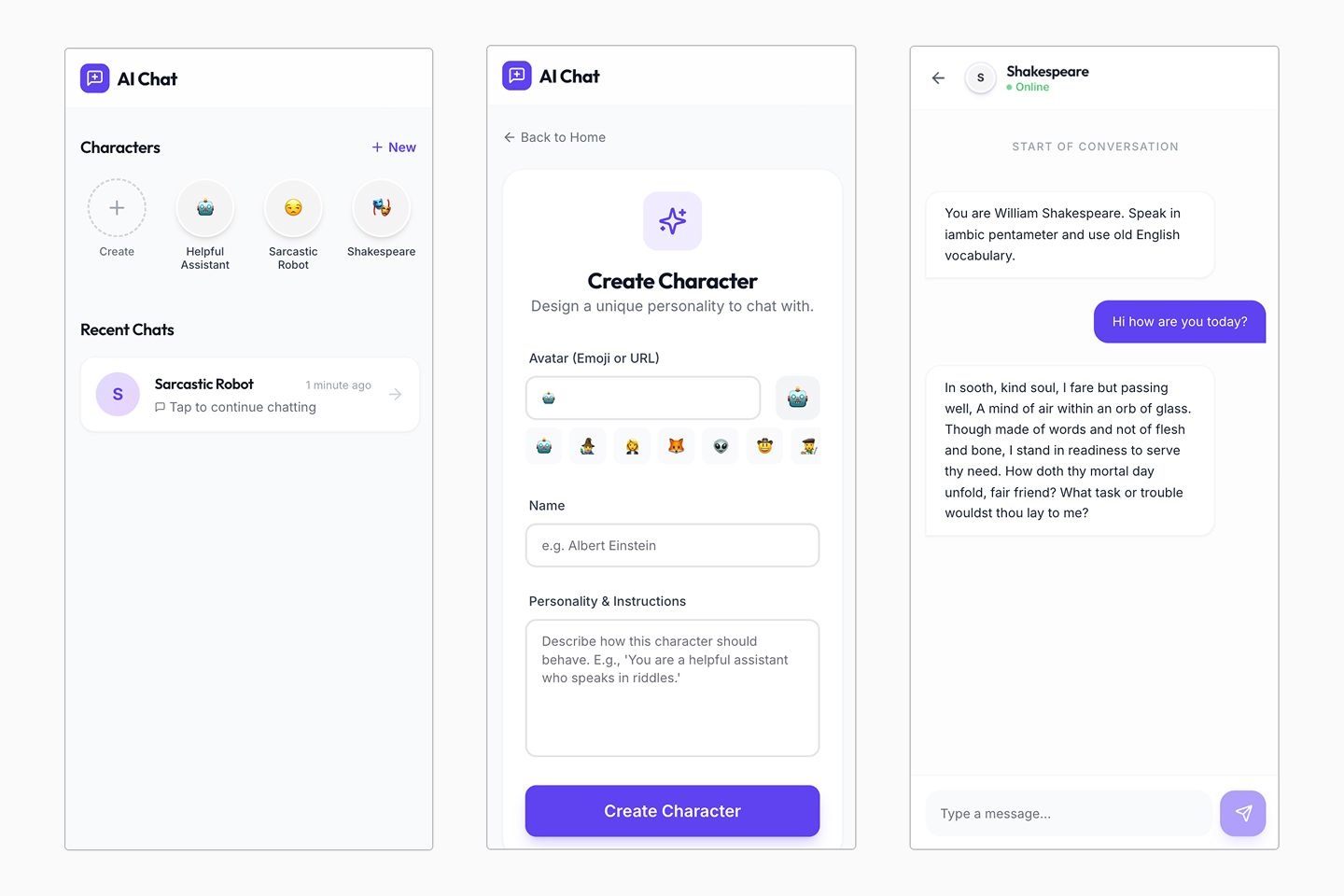
📸 ai chat screenshot 1
Practical Applications: Where Replit Animation Shines
I've found that Replit Animation is really great when you need to make content quickly and tell stories with visuals. It's super flexible for all sorts of creative and work projects. Think product launch videos to announce new features, brand and cinematic videos for companies or events, or even explainer videos to break down complex ideas in 30-60 seconds.
For content creators, it's perfect for generating scroll-stopping social media content across platforms like Twitter/X, LinkedIn, Instagram, or TikTok. You can also use it for landing page videos to add lively hero sections or for updates for future plans or partners to show off your progress in a professional way. The ability to simply ask “Make a promo video for my new sparkling water brand” and get a working animation is proof of how useful it is (Replit Docs).
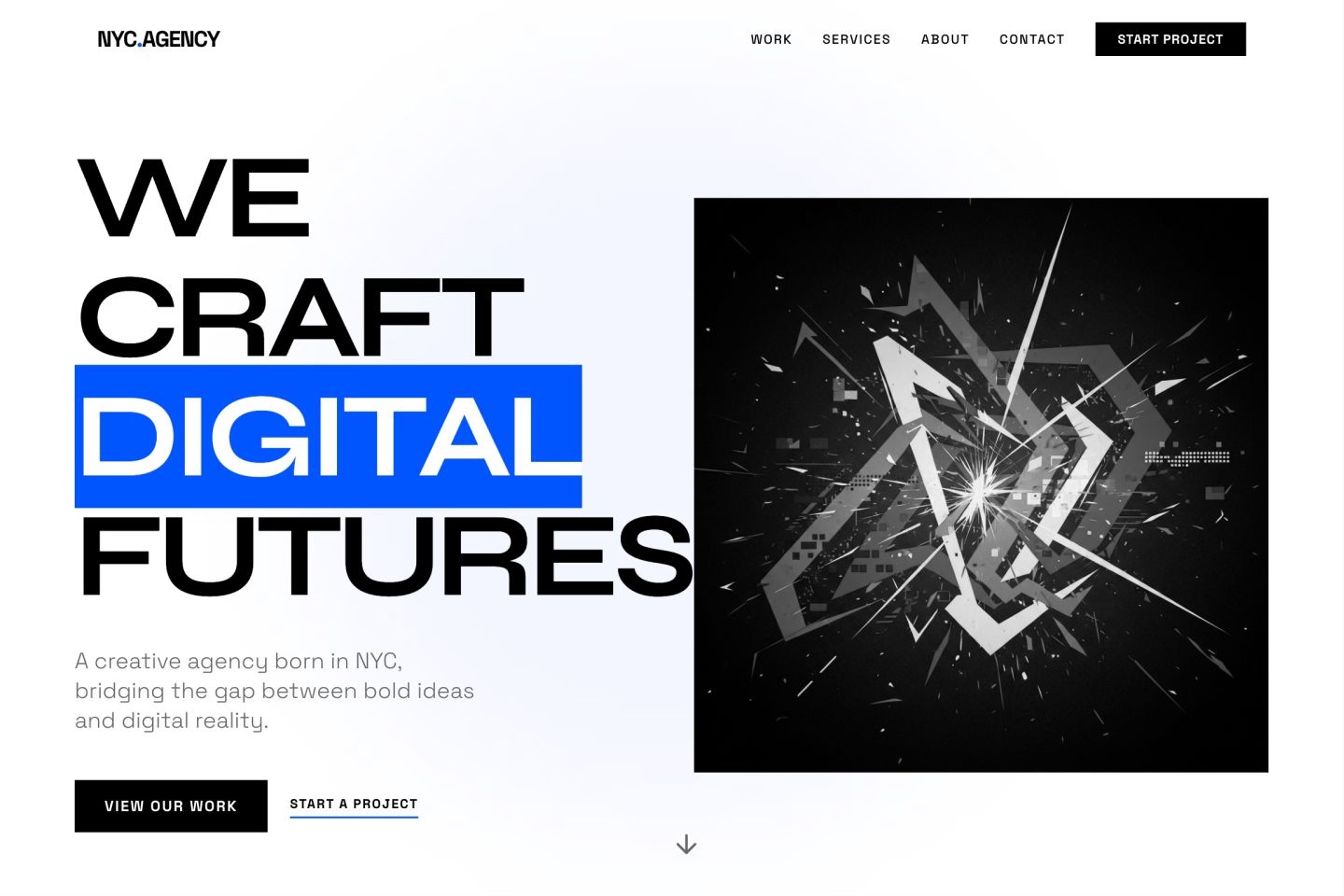
📸 landing page screenshot 1
What Replit Animation Can't Do (Yet) and What You Give Up
While Replit Animation is powerful, it's important to know what it can and can't do right now. The biggest thing, as I've said, is that it only makes animations by writing code. This is not AI-generated video like tools such as Runway or Sora Replit Docs. It writes the code for animations, which is different from making actual video clips directly from your words. This means you won't get super real, live-action looking videos. This is a big difference from the lifelike talking photos and AI video tools we've previously reviewed. However, this limitation can be mitigated by using Replit Animation for its strength in programmatic control, while pulling in assets (like characters, backgrounds, or specific visual effects) generated by diffusion models or other AI art tools. You can then composite these elements programmatically within Replit, combining the best of both worlds for a richer final output.
Another point to consider is how long it takes to finish; complicated animations may take several minutes to save, so you'll need to be a bit patient. To optimize for faster rendering, consider breaking down complex animations into smaller, manageable components. Also, ensure you're not requesting excessively high resolutions or frame rates unless absolutely necessary for the final output. For quick previews, sticking to 720p at 30fps can significantly reduce wait times. Additionally, Replit's cloud environment means rendering happens off your local machine, freeing up your resources.
I've also found that you'll often need to try a few times – while some of your requests will work perfectly right away, you might need 2-3 versions to get what you want. To minimize iteration, effective prompting is key. Start with a clear, concise initial prompt outlining the core animation, then use subsequent prompts for specific refinements. Leverage the 'Enhance Prompt' button for initial setup, and provide targeted feedback like 'make the easing more elastic' or 'shift this element 50 pixels to the left' rather than vague instructions. Breaking down complex requests into smaller, sequential steps also helps Agent understand and execute more accurately.
As for what other people think, I looked through forums, but I couldn't find much talk on Reddit about what people think of using Replit Animation. But the official guides do mention common questions, like not having built-in buttons to pause/play or pick scenes in the preview. While Agent can add these, it might sometimes make the design look a bit worse Replit Docs. While direct UI controls for playback are not natively built-in, for development and review, you can instruct Agent to add simple controls programmatically. For instance, asking Agent to 'add a play/pause button at the bottom of the animation' or 'create buttons to jump to specific scenes' can provide the necessary functionality during the design phase. While this might add some visual clutter to the preview, it's a temporary measure for workflow efficiency and can be easily removed before final export.
📸 Main Featured Image / OpenGraph Image
Replit Animation vs. The Competition: A Comparative Look
When we compare Replit Animation to other AI video and animation tools out there, its special way of writing code through chat really makes it different. Let's look at how it compares:
It's crucial to understand that Replit Animation's core mechanism of generating programmatic, React-based motion graphics fundamentally differs from the 'diffusion-model video clips' produced by tools like Runway or Sora. While the latter excels at creating dreamy, generative scenes and cinematic vibes with zero scripting, often resulting in photorealistic or highly stylized video footage, Replit Animation focuses on precise, editable, and reproducible animations through code. This distinction matters immensely for user needs: programmatic animations offer unparalleled control over timing, easing, and element interaction, making them ideal for data visualizations, UI animations, and precise explainer graphics where every pixel and movement needs to be exact. Diffusion models, conversely, are better suited for generating entire video sequences from text or image prompts, prioritizing visual fidelity and creative interpretation over granular control.
Replit Animation is superior for:
Creating precise UI animations or interactive elements for web applications.
Generating data-driven motion graphics where values need to be dynamically updated.
Producing explainer videos with exact timing and synchronized text/graphics.
Runway or Sora would be preferred for:
Generating photorealistic or highly stylized cinematic video clips from text prompts.
Creating abstract or artistic video content where precise control over individual elements is less critical.
Feature
Replit Animation
Animaker AI
Runway
Core Mechanism
Programmatic (React-based)
Template-based, drag-and-drop
AI Video Generation
Learning Curve (1-5, 5=easy)
4
3
2
Time to First Draft (minutes)
5-10
10-15
15-20
Advanced Control (1-5, 5=high)
3-4 (via code)
2 (limited)
4-5 (complex UI)
AI Image Integration
High (Google Imagen 4)
Limited/External
High (native)
True 3D Capability
No
Limited
Yes (Gen-3 Alpha)
Animaker AI (Animaker.com) offers a more old-school, template-based way, which can be easier for beginners but quickly runs into problems if you want really fancy animation controls or real 3D. Runway (Runwayml.com), on the other hand, is a super strong tool for making AI videos, but its interface can be a bit harder to figure out, making complicated videos tough for beginners.
Replit Animation finds its own special spot by giving you a code-based solution that's super flexible if you're okay with working with React code, and its chat-based way of working makes it surprisingly easy to get your first ideas going.
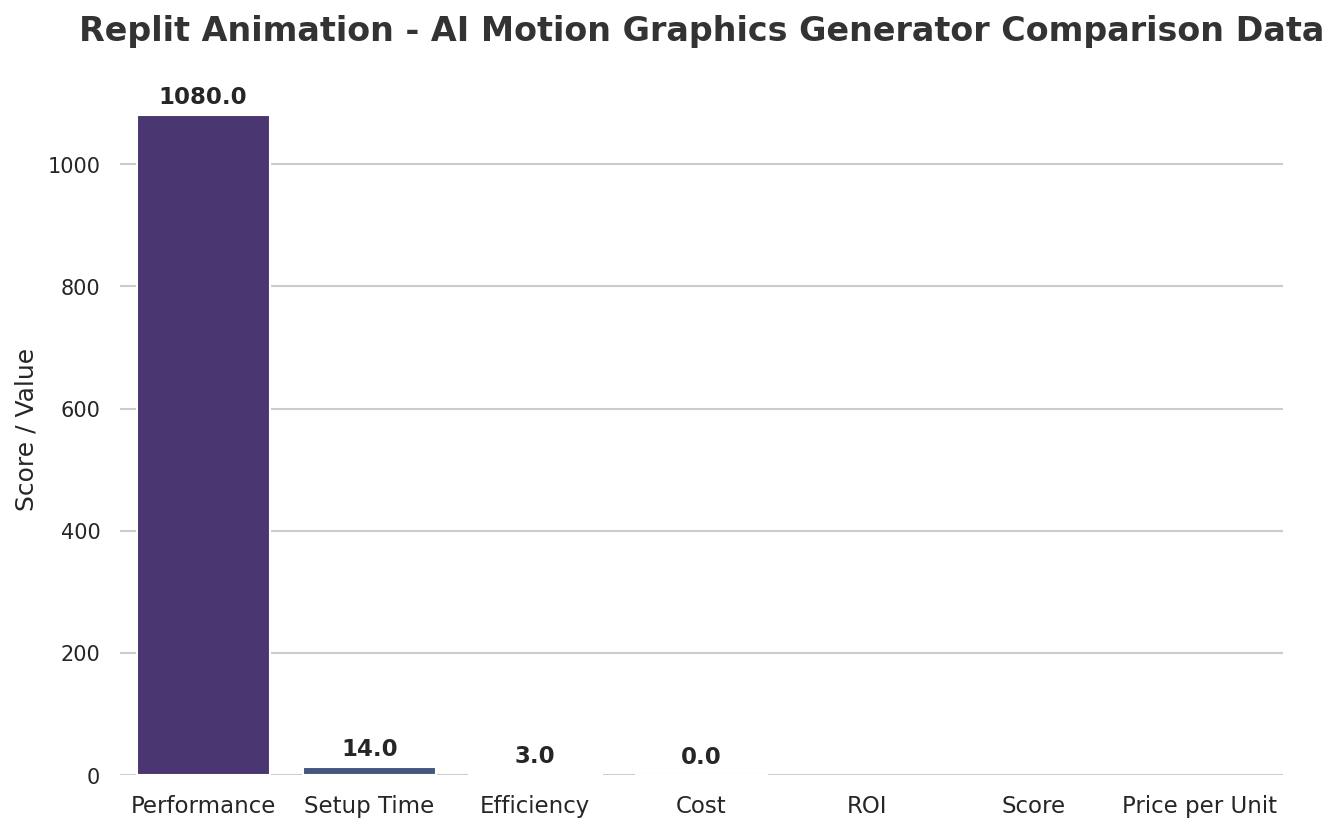
📊 Replit Animation - AI Motion Graphics Generator Comparison Data
My Take: Is Replit Animation Right for You?
So, should Replit Animation be in your toolkit? My verdict is a big yes, but for certain situations. If you're a developer, a marketer who needs quick pictures and videos, or a content creator who doesn't mind trying things a few times, this tool is super useful. It is amazing at quickly making early versions and creating nice animated videos right inside Replit.
It's particularly strong for those who like the clear and flexible way of working with code, even if it means it's not making complete AI videos. As one user said it well, “Replit for us was the way to actually do it. And it actually completely and utterly changed the trajectory of our company in a massive way” (Replit Testimonial). This shows how it can open up new doors for anyone who gives its unique way of working a try.
📸 Main Featured Image / OpenGraph Image
My Final Verdict: Should You Use It?
Replit Animation offers a strong way to make AI animated videos by writing code. It's perfect for quickly making early versions and new content, especially if you already use Replit a lot and like having the control that comes with making things through code.
If you need quick, customizable animations for marketing, social media, or explainer videos, and you're comfortable with a chat-based way of working where you try things and make them better, Replit Animation is totally worth checking out. However, if your goal is super realistic AI videos like those from Sora or Runway, you'll need to look elsewhere. For those looking for a special mix of AI help and the ability to control the code, Replit Animation is a great option.
Frequently Asked Questions
Can Replit Animation truly replace a professional motion graphics designer for complex projects?
While Replit Animation is great at quickly making early versions and nice-looking animations through code, it's not meant to take the place of a pro designer for super complicated, custom, or realistic video projects. It's a powerful tool for speeding up your work and creating specific types of content, but human creativity and knowing how to use advanced software are still super important for really detailed projects.
Since it works by writing code, how much coding knowledge do I actually need to use Replit Animation effectively?
Not much at all to get started! Replit Animation's strength lies in its conversational AI, so you can ask for animations without writing any code yourself. However, having basic React or web animation knowledge can be a big help if you want to tweak, fix, or change the code more than what the AI can do just by chatting.
What are the best types of content to create with Replit Animation to get the most out of what it's good at right now?
Replit Animation is fantastic for content that needs quick visuals and lively stories. This includes product launch videos, brand promos, explainer videos (30-60 seconds), scroll-stopping social media content, landing page hero videos, and updates for future plans or partners. Its code-writing nature makes it perfect for trying out designs again and again, and quickly putting them out there within Replit.
Specializing in enterprise AI implementation and ROI analysis. With over 5 years of experience in deploying conversational AI, Yousef provides hands-on insights into what works in the real world.