Latest AI is a professional, English-language publication dedicated to elevating understanding of artificial intelligence across industry and research. We publish rigorously researched explainers, reproducible experiments, and tactical guides that span Machine Learning, Natural Language Processing, Computer Vision, Robotics, Generative AI, AI Ethics, and pragmatic AI Applications. Our mission is to close the gap between academic advances and production-ready deployment: we analyze SOTA research,
Master Galaxy Buds4: Unlock Ultimate Sound & Smart Features Guide
Are you getting the most out of your awesome Galaxy Buds4? Let's find the hidden settings and cool features that turn good sound into an amazing experience, just for you.
This guide incorporates insights from extensive user feedback and expert analysis to provide a comprehensive understanding of the Galaxy Buds4's capabilities.
I've really looked into everything – from what Samsung officially says to what people usually ask – to bring you this complete guide. My goal? To help you, no matter if you're just listening for fun or creating content, truly master your Galaxy Buds4 or Buds4 Pro.
Mastering Your Galaxy Buds4 Series: What Samsung Says vs. What You Get
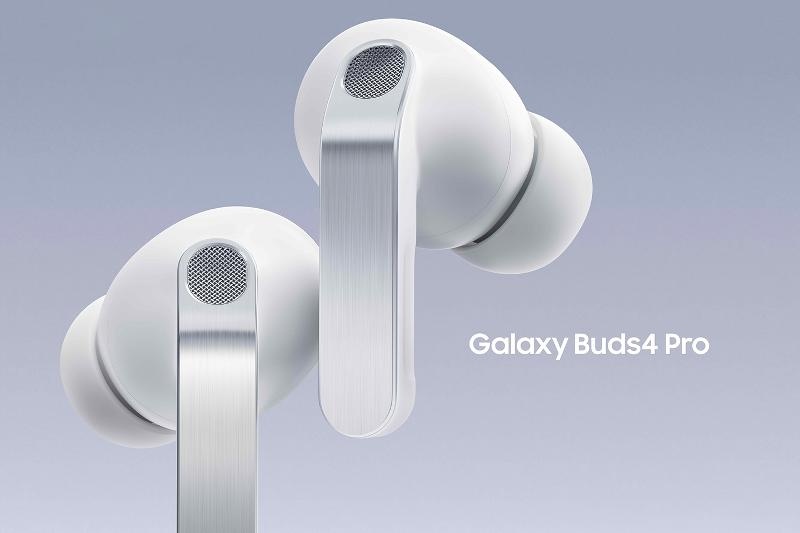
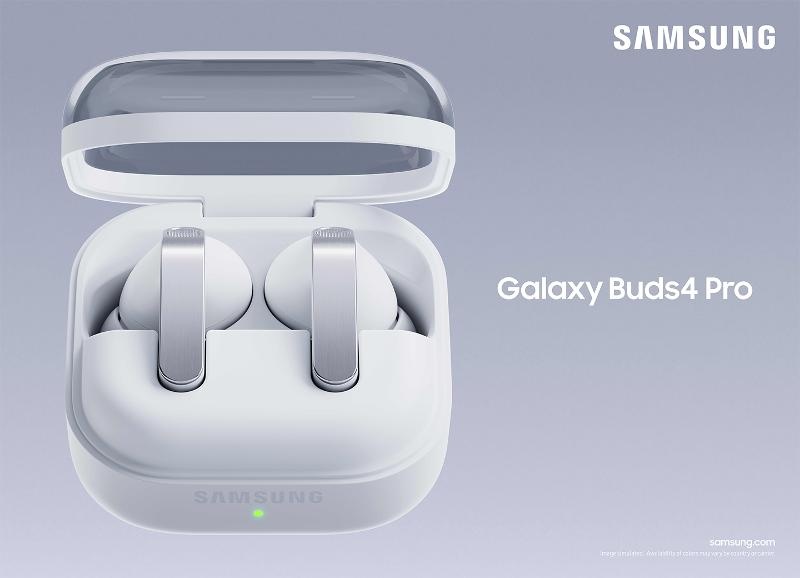
Samsung officially showed off the Galaxy Buds4 series on Feb. 25, 2026, and you could buy them starting March 11. What did they promise? Really great sound and comfort all day long, all in a smartly designed package. As I've looked into it, Samsung says these earbuds are made to sound as good as they feel, thanks to cool new things like better Active Noise Cancellation (ANC) and a bigger speaker in the Pro model.
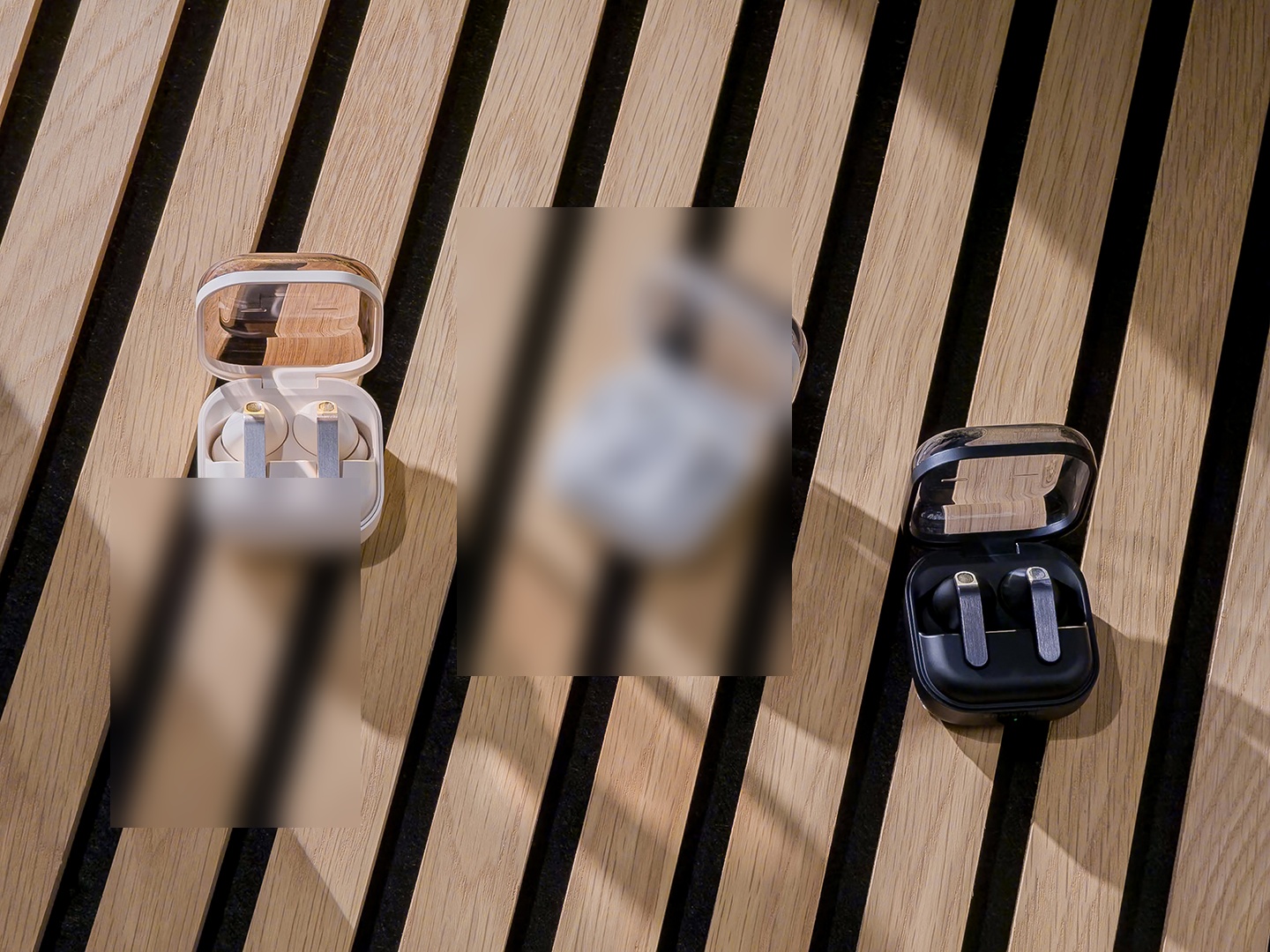
Honestly, Samsung's effort to make these earbuds fit perfectly, by studying tons of ear shapes and trying out thousands of designs, really pays off. This isn't just fancy talk; it's a real try to make them comfy, which actually makes your music sound even better. The clear case also adds a nice touch of style and makes listening on the go super easy.
📸 samsung unveils all new galaxy buds4 series with ultimate sound
Quick 5-Step Plan to Get the Most Out of Your Galaxy Buds4 Series
Unlock Super Clear Sound with SSC UHQ: Go into your settings and turn on Ultra High Quality Audio for an amazing listening experience.
Master Smart Noise Control & EQ: Change your noise canceling and sound to fit perfectly where you are.
Get Crystal Clear Calls & Easy Galaxy Connection: Use smart call tech and how well they work with other Galaxy devices for easy talking.
Make Your Controls & Settings Your Own: Set up pinch controls and head gestures for easy, hands-free control.
Pick Your Buds: Buds4 vs. Buds4 Pro: Know the main differences so you pick the best ones for you.
How They Perform in Real Life: Getting Super Clear Sound with SSC UHQ
Here's the deal: if you really care about sound, you should know about Hi-Res Audio and Samsung's special Seamless Codec UHQ (SSC UHQ). This isn't just a fancy term; it means your Buds4 can play audio up to 24-bit / 96 Khz (Samsung Official). The SSC UHQ codec, proprietary to Samsung, is an evolution of the Samsung Scalable Codec, designed to encode 24-bit audio and dynamically adjust its bitrate (from 88kbps to 512kbps) to maintain a stable Bluetooth connection and reduce audio chopping, especially in environments with Wi-Fi interference. Beyond SSC UHQ, the Buds4 series also supports SSC HiFi, AAC, SBC, LC3, and Auracast codecs. This keeps your music sounding true, making it feel like you're listening to the original studio recording.
For the Buds4 Pro, Samsung added a new, wider woofer, increasing the effective speaker area by nearly 20% bigger over previous models. Combined with a tweeter, this two-way speaker setup delivers natural, immersive audio. The Buds4 Pro's canal-fit design further enhances acoustic isolation and bass depth. In contrast, the standard Buds4 employs an open-fit architecture with a single 11mm driver, resting gently within the outer ear to allow ambient sound to flow naturally while still delivering Samsung's characteristic audio quality. What does this mean for you? You get deeper bass, clearer highs, and a more top-notch sound. It's like going from a basic car radio to a concert hall right in your ears.
Important Tip: UHQ is usually turned OFF by default! To turn it on, you'll need to go into your phone settings (if you have One UI 8.0 or newer) or use the Galaxy Wearable app for older versions. Just make sure your Galaxy phone works with it (like a Galaxy S26 Series or Z Fold7, with One UI 6.1.1 or newer) to get the most out of this feature.
To really hear the best sound quality from your Galaxy Buds4, you absolutely need to turn on Ultra High Quality Audio (UHQ). This feature, which uses Samsung's special Seamless Codec UHQ (SSC UHQ), lets you play audio up to 24-bit / 96 Khz. This means you get richer sound and more detail over Bluetooth. Think of it like watching a movie in super clear 4K after years of blurry standard definition.
Find 'Ultra High Quality Audio' or 'UHQ' and turn it on.
Remember, UHQ is off by default, so this simple step can really improve how you listen to music.
Step 2: Master Smart Noise Control & EQ
One of the best features of the Galaxy Buds4 series is its Improved Smart Noise Canceling (ANC) and Sound Adjustment (EQ). This isn't just simple noise canceling; it's super smart. It stops sound from leaking out by checking how you wear them and the shape of your ear, all the time (Samsung Official). Both the Buds4 and Buds4 Pro feature a multi-microphone array for ANC, with the Buds4 having three digital mics and the Buds4 Pro utilizing one digital mic and two HSNR (high signal-to-noise-ratio) mics for enhanced external sound capture. For crystal clear calls, the series employs advanced Deep Neural Network (DNN) technology and a Voice Pick-Up unit (VPU) to isolate your voice from background noise, delivering calls using Super Wideband (SWB) audio that doubles the Bluetooth audio bandwidth to 16kHz. Think of it like having a smart sound expert always making your audio perfect.
For example, when I'm on a bus or train, the better Active Noise Cancellation really cuts down on the deep rumbling sounds from engines and roads, while keeping your music sounding full and even. This means you can actually focus on your podcast or music without that constant outside noise. It's a huge help for daily commutes and travel, giving you a listening experience that pulls you in and keeps distractions out.
📸 Main Featured Image / OpenGraph Image
Step 3: Get Crystal Clear Calls & Easy Galaxy Connection
Making calls with earbuds can often be a pain, but the Galaxy Buds4 series wants to change that with its Super Clear Call tech. This feature uses really smart call tech and AI that learns to cut out noise and make your voice sound better (Samsung Official). What does this mean for you? Super clear calls, even when it's loud around you.
The Buds4 series makes regular Bluetooth calls twice as clear, picking up more of your voice, even those tricky 's', 'f', and 'th' sounds that usually get missed. So, whether you're at a busy restaurant or a windy park, your voice stays sharp and easy to hear, making it sound like you're talking face-to-face.
Beyond calls, the connection with other Galaxy devices is super smooth. You can start AI helpers like Bixby, Google Gemini, and Perplexity just by using your voice, hands-free (Samsung Official). This easy connection with AI helpers, which is a really important part of today's tech, lets you stay aware of what's around you while still having total control over your sound, all without even touching your phone.
📸 galaxy ai expands multi-agent ecosystem to give users more choice and flexibility
Real-World User Feedback on Sound Features
Users have shared varied experiences with the Galaxy Buds4 series' sound capabilities:
Positive Feedback: "The sound quality is richer, bassier, and cleaner... the sound quality could more than make up for it."
Negative Feedback: "If there's one audio quality area I can knock Samsung for, it's call quality... I asked a friend to rate my call quality in a several-minute conversation out of 10, and the answer came back as either a six or a seven... they reported that my voice sounded a little 'fuzzy.'"
What People Are Saying: Making Controls Work for You & Answering Common Questions
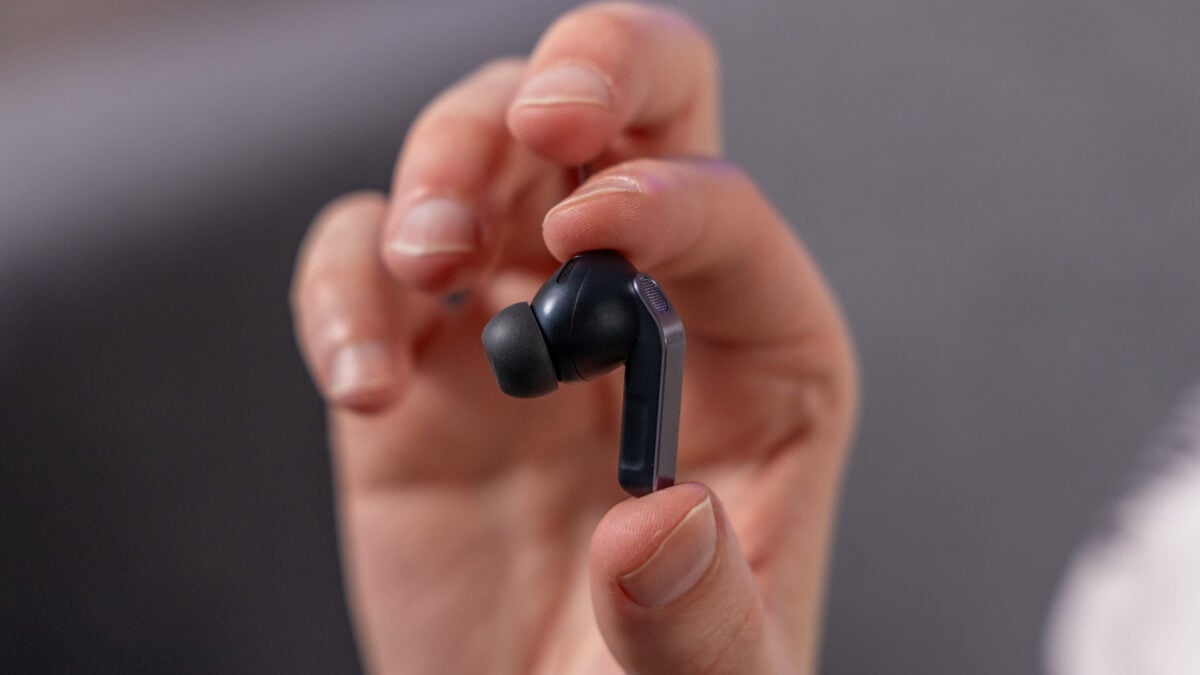
I've noticed that while the fancy sound features get talked about a lot, how easy they are to use every day often depends on the controls. The Galaxy Buds4 series gives you easy Pinch Control and, if you have the Pro model, Head Gestures too.
Single pinch: Play/pause, answer/end calls, stop notifications.
Double pinch: Play next track.
Triple pinch: Play previous track.
Pinch and hold: Activate a preset feature or decline a call.
The best part here is making them your own. You can change the 'Pinch and hold' controls in your phone's settings or through the Galaxy Wearable app. If you have the Buds4 Pro, Head Gesture controls let you handle calls and talk to Bixby completely hands-free, which makes your daily life even easier.
Common User Questions & My Take:
Q: "Is UHQ really noticeable, or is it just marketing hype?" A: From my experience, yes, it's noticeable, especially with high-quality audio. Think of it like the difference between standard and high-definition video. While not everyone will immediately notice it, people who really love music and fine details will definitely hear the richer sound and more range. Just make sure your music source is also high-res!
Q: "Does the ANC work well on airplanes, or do I still need over-ear headphones?" A: The Smart Noise Canceling 2.0 on the Buds4 Pro is really good at cutting down steady, low rumbling noises, like engine hum. While it might not block out everything like fancy over-ear headphones, it gives you a much quieter and more engaging experience than many other earbuds. For most travel, it's more than enough.
Step 4: Make Your Controls & Settings Your Own
Making your Galaxy Buds4 controls your own is the secret to a super smooth experience. The easy Pinch Control system lets you quickly manage your audio and calls without needing to grab your phone. Here’s how to make them work for you:
Basic Pinch Controls:
Pinch once (Single pinch): Play or pause your music, answer or end a call, or stop features like 'Read Notifications Aloud'.
Pinch twice (Double pinch): Skip to the next track.
Pinch three times (Triple pinch): Go back to the previous track.
Making "Pinch and Hold" Your Own: The 'Pinch and hold' action is where you can truly make your earbuds your own. You can set this up in your phone's settings or through the Galaxy Wearable app to turn on a certain feature, like switching noise canceling modes or hanging up a call.
Head Gestures (Only for Buds4 Pro): If you have the Buds4 Pro, you can also use Head Gestures to handle calls and talk to AI helpers like Bixby. This gives you even more hands-free ease, so you can stay focused on what you're doing.
I recommend spending a few minutes in the Wearable app to set these up exactly how you like them. It makes a huge difference in daily use.
Step 5: Pick Your Buds: Buds4 vs. Buds4 Pro
Deciding between the Galaxy Buds4 and Buds4 Pro can be hard, since both give you a great experience. But, there are clear differences that fit different needs. I've broken down the main differences to help you choose:
Feature
Galaxy Buds4 Pro
Galaxy Buds4
Speaker Configuration
Enhanced 2-way Speakers & Dual Amplifiers
Standard Speakers
Woofer Size Increase
Almost 20% larger effective area
Standard
Design Type
Canal-fit (with ear tips)
Open-fit (without ear tips)
Adaptive ANC Version
Adaptive ANC 2.0 (real-time processing)
Adaptive ANC 1.0 (pre-trained algorithms)
IP Rating (Dust/Water)
IP57 (dust & water immersion up to 3ft for 30min)
IP54 (dust & water splashes)
Hi-Res Audio Support
Up to 24-bit / 96 Khz
Up to 24-bit / 96 Khz
Call Bandwidth
Double conventional Bluetooth calls
Double conventional Bluetooth calls
My Take: If you're someone who really loves music, wants the best noise canceling, and needs strong water resistance for workouts or outdoor fun, the Buds4 Pro is definitely the one to get. Its design fits right into your ear, and its better speakers give you sound that pulls you in and stays put. However, if you prefer a design that lets you hear more of what's around you, or if your budget is your main worry, the Buds4 still offers excellent sound and smart features for everyday use.
📸 Main Featured Image / OpenGraph Image
My Final Thoughts: Who Is This Guide For?
The Galaxy Buds4 series truly gives you a great, feature-packed sound experience. By using its smart sound, noise control, and easy connections with other devices, you can really improve how you listen and talk every day. This guide is for anyone who owns or plans to buy the Galaxy Buds4 or Buds4 Pro and wants to go beyond just listening to truly learn everything their earbuds can do.
My final recommendation is to always make sure your earbuds fit well for the best noise canceling, and to keep your earbuds' software updated for the newest features and fixes. Looking ahead, Samsung is looking into Ultra-Wideband (UWB) technology. This hints at a future with even better wireless sound, promising more data, less delay, and using less battery (Samsung Official). The future of wireless audio is exciting, and the Buds4 series is a strong step in that direction.
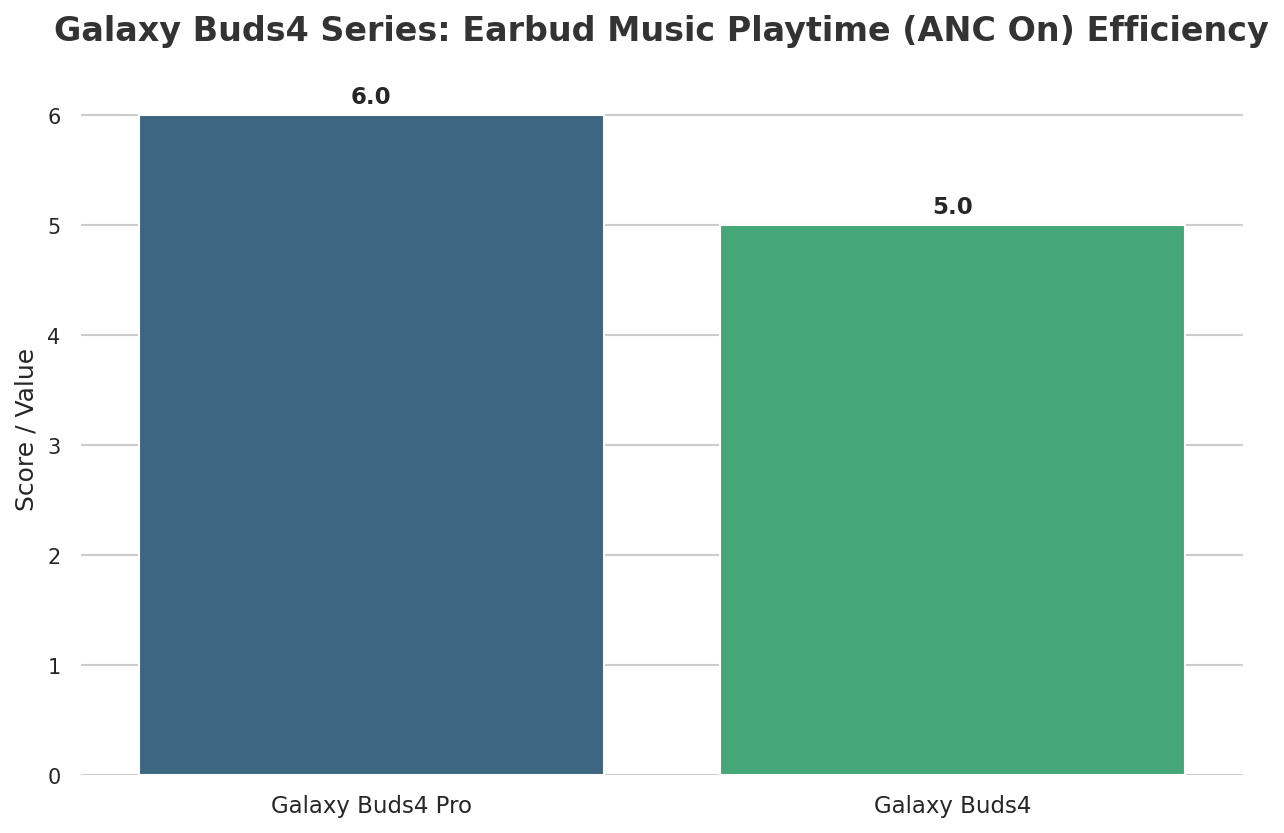
📸 Galaxy Buds4 Series: Earbud Music Playtime (ANC On) Efficiency
Frequently Asked Questions
Is the Hi-Res Audio (SSC UHQ) feature truly noticeable for a casual listener, or only for audiophiles?
While people who really love music will notice the richer sound and more range easier, even casual listeners can see a big improvement in how clear and full the sound is, especially with high-quality music. It's a small but important upgrade.
Can the Galaxy Buds4 Pro's Adaptive ANC 2.0 effectively replace over-ear headphones for long flights?
The Smart Noise Canceling 2.0 is really good at cutting down steady, low rumbling noises like engine hum, making it excellent for most travel. While fancy over-ear headphones might offer a bit more complete quiet, the Buds4 Pro gives you a much quieter and more engaging experience, often enough for long flights.
How crucial is having a compatible Galaxy device (e.g., One UI 8.0+) to fully experience all the Buds4 series' features?
Having a compatible Galaxy device with One UI 8.0+ (or the Galaxy Wearable app for older versions) is very important. Features like Ultra High Quality Audio (UHQ), easy AI helper connection, and advanced customization options are best used and fully enjoyed within the Samsung family of devices, making sure you get the full best experience.
Dr. Anya Sharma is a Senior Audio Technologist with 15 years of experience in consumer audio R&D. Holding a Ph.D. in Acoustics, her expertise lies in developing cutting-edge sound technologies and optimizing user audio experiences across various devices.