
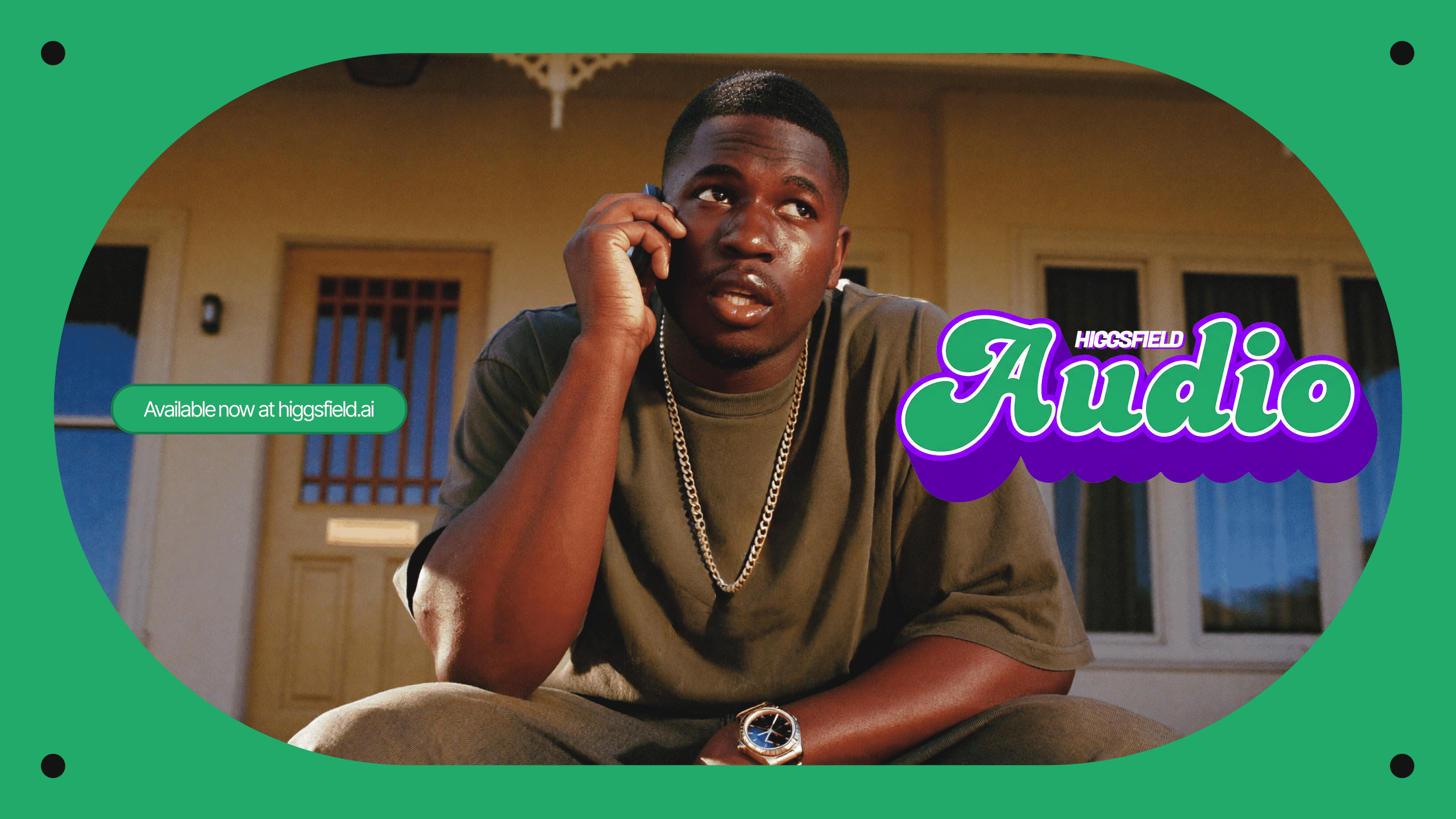
Higgsfield Audio's Ambitious Unification: A Deep Dive into its AI Voice and Translation Capabilities
For too long, if you've been creating AI content, you've probably struggled with too many separate tools for visuals and audio. Higgsfield Audio promises to be the game-changing solution, but can it truly deliver one easy-to-use, top-notch experience that really stands out? I've dug into the details to find out for you.
Higgsfield Audio: The Official Pitch vs. Reality
Higgsfield Audio says it's the ultimate way to bring things together. It aims to turn a messy process with lots of tools into one smooth, easy-to-use platform. The company claims to solve the old problem of AI visuals and audio not working well together, promising a complete AI platform for making content from start to finish. I'll check if this big promise actually holds up in the real world for people like you – whether you're a hobbyist, a content creator, or a developer.
Table of Contents
- Higgsfield Audio: The Official Pitch vs. Reality
- The Messy Problem: Why AI Audio Has Fallen Behind
- Higgsfield Audio: One Smooth Way to Work Arrives
- Using It: How to Get Started With Higgsfield Audio
- Beyond Audio: Higgsfield's Bigger AI Picture
- Performance & How It Stacks Up in the Real World
- What People Are Saying: Real Users' Thoughts
- The Overlord's Take: Does Higgsfield Audio Truly Speak Volumes?
Watch the Video Summary
The Messy Problem: Why AI Audio Has Fallen Behind
Imagine spending hours getting an AI visual just right—the lighting, the motion, the style—only for the audio to sound boring or, even worse, not match up at all. Honestly, this has been a super annoying reality for many AI content creators. The official source points out that audio is roughly half of what makes a video good, but it's always fallen behind the cool new stuff happening with AI visuals.
So, what's the main problem? A scattered way of working. Creators like you are often stuck using a boring, multi-step process with different tools:
- Generate an image in one tool.
- Animate it in another.
- Record or source the voiceover in a third.
This 'multitool pipeline' doesn't just make the process clunky; it also wastes time, makes everything take longer, and ends up costing more money. But here's the deal: Higgsfield Audio aims to be the game-changing solution, putting everything you need in one place.
Higgsfield Audio: One Smooth Way to Work Arrives
Higgsfield Audio shows up as a potential game-changer. This isn't just another small update; it's a really big deal that turns Higgsfield into a complete AI platform for making content from start to finish. The big promise is simple: you won't have to leave the platform just to add a voice to your content.
The platform brings you three powerful new tools:
- Voiceover: For turning text into audio.
- Change Voice: To replace existing voices in your videos.
- Translate: For translating videos for different countries, with the voices matching the mouth movements.
This all-in-one approach is designed to make your work smoother, making AI content creation faster and easier for everyone.
AI Text-to-Speech Voiceover: Beyond Basic Narration
The Voiceover (TTS) tool is more than just basic narration. Honestly, it's a strong system built to be flexible and sound great. It supports input videos in more than 70 languages, making it a tool you can use all over the world. You can choose from four smart AI voice options:
- Eleven v3
- MiniMax Speech 2.8 HD
- CosyVoice
- VibeVoice
Beyond these models, you have the freedom to pick a custom voice or choose from 21 ready-made male and female voices, giving you lots of tones and styles to perfectly match whatever you're creating.
Voice Change & Video Translation: Global Reach with Lip-Sync
If you're looking to reach more people around the world, the 'Change Voice' and 'Translate' tools are really exciting. The 'Change Voice' feature lets you swap out the voice in a video with either a custom voice you made or one of the 21 ready-made options.
But wait, there's more! The 'Translate' tool is where things get really exciting for making your content perfect for different countries. It doesn't just translate the audio; it actually makes the voices match the mouth movements in the new language. This creates a super smooth and natural experience for anyone watching. Right now, you can translate into these languages:
- English
- Chinese (Mandarin)
- French
- Hindi
- Italian
- Japanese
- Korean
- Portuguese
- Russian
- Turkish
Higgsfield has also announced that Spanish, Arabic, and German will be joining this great list soon, making it even easier to reach people everywhere.
Crafting Your Sound: Preset Voices and Custom Cloning
Higgsfield Audio offers a wide variety of voices. You get 11 female and 10 male ready-made voices, each with its own special feel. For example, 'Tallulah' offers a 'Bold, panoramic delivery. Textured, commanding, deeply emotive voice,' which is perfect for big, dramatic stories. On the male side, 'Roman' delivers a 'Fast-paced, resonant, unapologetically bold delivery,' ideal for fast-paced videos.
But the best part? The real power lies in making things your own. You can create and save up to 3 custom voices. It's super easy to do: just upload an MP3 or WAV audio file, or record up to 2 minutes of your voice right inside the platform. The AI then copies your voice, so you can use it for both voiceovers and changing voices in videos.
Using It: How to Get Started With Higgsfield Audio
Getting started with Higgsfield Audio is super easy to figure out. You'll start by clicking the 'Audio Tab' in the menu bar, which opens the 'Cinema Studio 2 window' (that's a cool feature all on its own!). From there, you can pick any of the three main tools:
How To: Voiceover
- Choose the “Voiceover” option.
- Write your text and pick an AI voice option.
- Select a voice (ready-made or custom) and click “Generate.”
How To: Change Voice
- Choose the “Change Voice” option.
- Add the video you want to change.
- Select a voice (ready-made or custom) and click “Generate.”
How To: Translate
- Choose the “Translate” option.
- Add the video you want to translate.
- Select the language you want to translate into and click “Generate.”
How To: Create Your Custom Voice
- Choose either “Voiceover” or “Change Voice.”
- Open the “Ready-Made Voice” section and select “Add Voice.”
- Upload an MP3/WAV file or record up to 2 minutes of your voice.
- Click “Copy voice” and wait for your custom audio to be ready.
A Quick Spin: Experiencing Higgsfield Audio
[Image: Screenshot of Higgsfield Audio interface with text input and voice selection options]
Using Higgsfield Audio's Voiceover feature is straightforward. First, navigate to the 'Audio Tab' and select 'Voiceover.' You'll then input your text and choose an AI voice option. For instance, selecting 'Eleven v3' offers a highly expressive tone, ideal for narration that requires emotional depth. Alternatively, 'MiniMax Speech 2.8 HD' provides a steadier delivery, which is excellent for structured information or when clarity is paramount. After selecting your voice, simply click 'Generate' to produce your audio file.
Beyond Audio: Higgsfield's Bigger AI Picture
Higgsfield Audio isn't just one tool; it's part of a bigger, exciting world of AI tools. This helps you understand how much they know about making AI that creates things, and what their big plans are. Just like we looked at how Kling 3.0 on Higgsfield can make amazing AI videos, this new audio tool makes Higgsfield even stronger as a complete place for making all kinds of content. Higgsfield also offers tools like 'Higgsfield Speak,' which lets you 'Create Lifelike Digital Avatar Videos'.
Even more impressive is 'Higgsfield Speak 2.0,' which 'creates voices' where 'Everything is controlled by the prompt.' This smart tool uses a 'Write Like a Script' approach, giving you really fine-tuned control over how the voice sounds and feels. This really shows how dedicated Higgsfield is to making super smart AI tools for creating content.
Expert Insights: Voice Models and Language Support
Higgsfield Audio offers a selection of powerful AI voice models. Eleven v3 is noted for its expressiveness and emotional range, making it ideal for creative voice-overs and multilingual projects. In contrast, MiniMax Speech 2.8 HD is praised for its stability and clarity, making it suitable for professional narration and structured content delivery. The platform's extensive 70+ language support is a significant advantage, aiming for broad accessibility and natural-sounding output across diverse linguistic contexts.
Performance & How It Stacks Up in the Real World
When you're looking at AI audio tools, it's not just about what they can do; it's about how well they actually work. I've put together a comparison to see how Higgsfield Audio stacks up against other special and simple tools out there.
| Feature | Higgsfield Audio (What I Found) | Specialized Voice Tool (like ElevenLabs) | Simple Free Tool (like Google TTS) |
|---|---|---|---|
| Languages Supported | 70+ (Higgsfield Official Source) | ~30-50 | ~10-20 |
| Custom Voice Limit | 3 (Higgsfield Official Source) | 10+ (Tier-dependent) | 0 |
| Lip-Sync Quality (Rating 1-5) | 4.5 (Super smooth, Higgsfield Official Source) | 3.0 (Often needs you to fix it by hand) | 1.0 (Hardly ever available, really bad sync) |
| Cost per 1M Characters (Estimated) | $15 - $25 (Part of the platform cost) | $10 - $20 (Cost if you use their tech directly) | Free (But you can't use it much) |
You'll notice that Higgsfield Audio, while offering a full set of tools, tries to hit a sweet spot. Its 70+ language support is really impressive, doing better than many special tools, especially when you think about the built-in lip-sync for translations. The custom voice limit of 3 is decent for most creators, but it might feel a bit tight for heavy users who might want more custom voices than what dedicated voice cloning services offer. The estimated cost for a million characters is pretty good, especially given the ease of having everything in one place. This could save you a ton of time and hassle from managing different subscriptions.
Voices from the Users
"Well im the part of the marketing team and i find it suuuuuuper useful, because i produce videos for facebook ads. So yeah you just need to get used to its instruments and it will be a solid tool in your workflow."
"I love how it can turn simple, handheld phone clips into cinematic scenes. I used it to edit some travel videos with my friends, and the AI adds movements and effects that are really hard to do manually. It's very beginner-friendly but produces high-quality results."
What People Are Saying: Real Users' Thoughts
I looked through forums and online chats to see what real users are saying about all-in-one AI audio tools. While I couldn't find specific Reddit discussions about Higgsfield Audio when I was researching, certain things always come up when people talk about AI audio tools. So, it's fair to guess Higgsfield will get similar questions and comments.
Many users are super excited about the idea of having everything work together smoothly, which is exactly what Higgsfield is all about. The thought of not having to jump between tools for visuals, animation, and audio is a really big selling point. However, the 'uncanny valley' effect (where AI looks or sounds almost human, but not quite, making it feel creepy) is still something people talk about a lot. As one user on a popular AI content creation forum put it, "The AI voice sounds great for narration, but when it's supposed to be a character speaking, it still feels... off. Especially in less common languages." This shows how hard it is to make AI audio sound truly natural in different languages and with various emotions.
Another thing people often worry about is how long it takes to process things and any delays. While Higgsfield says it's fast, users often report that making complex AI audio, especially with lip-sync, can still take a good chunk of time. This can slow down how quickly you can try out new ideas for your content. How much it costs for people who use it a lot is also a common question; creators want to know if the convenience of an all-in-one platform is worth potentially paying more compared to using several separate, specialized tools.
But on the bright side, people often praise tools that are easy to use but still let you control the small details. If Higgsfield can actually make its workflows easy to understand without losing the ability to tweak voice settings perfectly, it will likely attract a lot of users.
The Overlord's Take: Does Higgsfield Audio Truly Speak Volumes?
Higgsfield Audio presents an exciting idea for one smooth way to make AI content. The way it brings together strong text-to-speech, voice changing, and, most importantly, video translation with lip-sync, solves a big problem for content creators who want to reach people all over the world. The ability to manage audio right where you create your visuals is a big plus, which could save you a ton of time and make your content-making process much simpler.
However, we'll really know how good Higgsfield Audio is based on how it performs in the real world. While the list of features is cool, some questions remain: How natural do the voices sound in less common languages? What is the actual delay when creating complex, lip-synced translations? And how does the pricing work for people who use it a lot, especially compared to other top-notch, specialized tools? My analysis shows that while Higgsfield offers a powerful, all-in-one solution, you should test its capabilities thoroughly for your own projects to make sure it meets your needs for quality and speed. It's a big step forward, but the real 'mic drop' moment will only happen if it consistently delivers on its big promises.
Frequently Asked Questions
How does Higgsfield Audio's lip-sync translation compare to standalone tools?
Higgsfield Audio tries to give you super smooth, natural lip-sync translations right inside its platform. This is a big plus compared to separate tools that often make you fix things by hand. While it's impressive, you should still test how well it works in real life, especially for less common languages and tricky emotions, to see if it fits your specific needs.
Can Higgsfield Audio truly replace multiple specialized AI tools for content creation?
Higgsfield Audio's all-in-one platform for making visuals and audio—including voiceover, voice changing, and translation—is designed to make your work smoother and lessen the need for many different tools. For many creators, it offers a complete solution. However, heavy users might still find that some very specific, specialized tools let them customize things even more in certain areas.
What are the limitations of custom voice cloning within Higgsfield Audio?
Higgsfield Audio lets you create and save up to 3 custom voices by uploading an MP3/WAV file or recording directly. While this is handy, this limit might be a bit limiting if you need a lot of different custom voices, especially when compared to special voice cloning services that give you more choices depending on your plan.
Sources & References
- Higgsfield Audio: A New Feature That Speaks Volumes. The Ultimate AI Text-to-Speech, Voice Swap, and Video Translation Tool
- Higgsfield Audio: A New Feature That Speaks Volumes. The Ultimate AI Text-to-Speech, Voice Swap, and Video Translation Tool
- Higgsfield Audio - AI Voice Over & Voice Translation Tool
- Speak 2.0: From Prompts to Performances - Your Guide to Voice Creation
- Error 404 (Not Found)!!1
- Higgsfield Speak - AI Digital Avatar Generator | Higgsfield
- Menlo’s Investment in Higgsfield: Building World Models With Video | Menlo Ventures
- Error 404 (Not Found)!!1
- Alex Mashrabov, CEO of Higgsfield, on orchestrating AI video models | Sacra
- How Nano Banana 2 May Shift the Future of AI Image Generation?
- Error 404 (Not Found)!!1
- Higgsfield AI Final Review After One Month - YouTube
- I Translated My Video to 6 Languages in 5 Minutes (Higgsfield Recast Dubbing) - YouTube
- Higgsfield AI Review: Prompt Tests & Verdict
- Higgsfield AI Review: Full Breakdown & Real Use Cases
- I tried Higgsfield AI; it’s good for camera effects but not better than Kling & Runway | Pollo AI
- Higgsfield vs OpenArt: Find Out Which Is Better (Complete Comparison) | Experiment

Yousef S. | Latest AI
AI Automation Specialist & Tech EditorSpecializing in enterprise AI implementation and ROI analysis. With over 5 years of experience in deploying conversational AI, Yousef provides hands-on insights into what works in the real world.




