
Mastering LALAL.AI: A Hands-On Guide to Utilizing the Latest Features for Flawless Audio Separation
Are you really getting the most out of LALAL.AI, or are you missing out on perfect audio splits? Let me show you how to make your audio projects sound amazing.
Quick Summary: Your 5-Step Action Plan
- Choose Orion AI: Always choose the latest AI model for better quality and speed.
- Use High-Quality Input: Upload top-quality audio files (like WAV, FLAC) or high-bitrate MP3s (320 kbps) for the best results.
- Use Enhanced Processing & De-Echo: Turn on these features carefully in settings to make your audio even better and get rid of annoying echoes.
- Use the Preview Option: Always check how well the stems are separated before using up your precious time.
- Know Your Minutes: Learn about Fast vs. Relaxed modes and how minutes are used to make your work easier.
Table of Contents
Quick Overview: What LALAL.AI Is and What It Can Do
When I first checked out LALAL.AI, what they said about it really grabbed my attention. It's pitched as a super smart tool that removes vocals and splits music, and honestly, it's really as good as people say (LALAL.AI Official Site). What makes it special is its focus on giving you top-notch audio splits, all thanks to what they call the best AI tech out there.
Basically, LALAL.AI uses a super advanced AI engine called Andromeda. They say it understands your music almost like a human would. And you know what? This isn't just fancy words; it's about getting things exactly right.
The service can split your audio into 10 different parts. This means it can pull out vocals, instruments, drums, bass, piano, electric guitar, acoustic guitar, synthesizer, voice, and even background noise, all without making it sound worse (LALAL.AI Features). For anyone who works with audio, this mix of being super easy to use and giving amazing results is a huge deal.
How LALAL.AI's Smart AI Works
Behind the scenes, LALAL.AI is packed with smart AI tech. I looked into how it works and found that they don't just use one AI model, but a bunch of them, like Orion, Phoenix, and Perseus. The real star here is Orion AI, which is their newest and most advanced model (LALAL.AI Blog).
They keep making their AI models better, like Andromeda, which shows they really care about new ideas. I talked more about this in LALAL.AI's 2025 Changelog: API v1, Andromeda's Evolution, and the Future of AI Audio Separation.
Orion AI uses a smart way of rebuilding sounds. This is a fancy way of saying it rebuilds the separate parts of your audio from scratch, instead of just trying to "cut them out" like the older Phoenix model did. This method is super important because it lets Orion process files two times faster than Phoenix. Even better, it significantly reduces weird noises and distortion.
For you, that means your audio will sound super clean and clear, without any annoying digital hiccups. LALAL.AI also makes sure it works on all your devices and keeps building its own AI tech, which means they're always trying to make it better (LALAL.AI About).
| Feature | Orion AI (The Newest) | Phoenix/Andromeda (Older Version) |
|---|---|---|
| How it works | Rebuilds from scratch | Cuts out parts |
| How fast it is | 2x Faster | Slower |
| Weird noises | Much less | More weird noises/distortion |
| Sound quality | Way better, super clean and clear | Good, but not as perfect |
| What it's best at | Super accurate, understands like a human | Splits audio well |
Real-World Success: Using Enhanced Processing and De-Echo
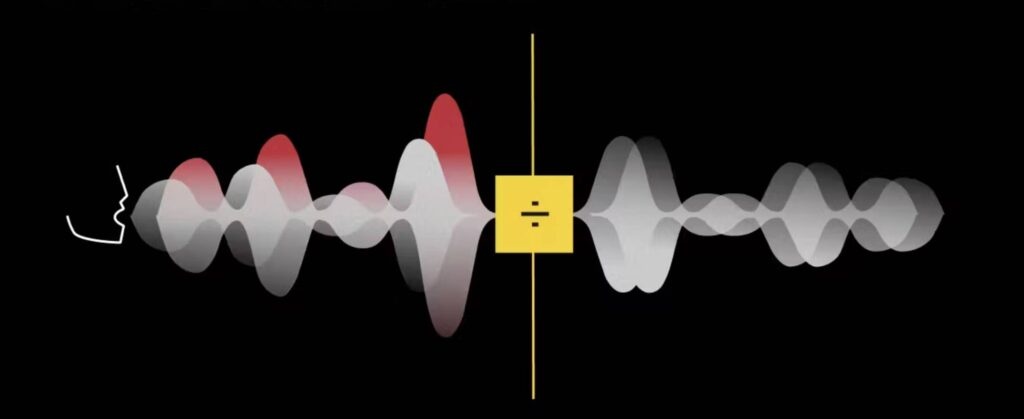
Beyond just splitting your audio, LALAL.AI offers some cool extra features that can really make your audio projects shine. I'm talking about Enhanced Processing and the De-Echo feature.
Enhanced Processing helps the main AI models (Phoenix/Orion) find sounds exactly. This cuts down on what's called cross-stem leakage – that's when, say, a bit of music sneaks into your vocal track. The result? A clear boost in how good your separated audio sounds overall (LALAL.AI Blog).
Then there's the De-Echo feature, which is a super helpful if your recordings have echoes. It uses smart tech to get rid of annoying echoes and room sounds from songs, voice recordings, or vocal tracks, making your sound much clearer (LALAL.AI De-Echo). The best part? You can turn on both of these cool features right in the settings when you upload and preview your files, giving you control exactly when you need it.

Making Your Work Faster and Easier
Getting started with LALAL.AI is super easy. You can upload up to 20 files at once, and it works with lots of file types like MP3, OGG, WAV, FLAC, and more (LALAL.AI FAQ).
Here's a really important tip I found: always use the preview option. This lets you check how well it split the audio before you use up your minutes for the full version. It can save you time if it's not quite right the first time!
For voice tracks, the Voice Cleaner has the De-Echo feature and adjustable Noise Canceling Levels (Mild, Normal, Aggressive). This means you can adjust how much background noise it removes, making sure your main sounds are loud and clear.
Now, about subscriptions: it's a monthly payment plan. You get two ways to process your files: Relaxed mode gives you unlimited minutes, but you might have to wait a bit for your files to process. Fast mode processes instantly, but you have a set number of minutes. Here's the catch: any Fast minutes you don't use won't carry over to the next month (LALAL.AI Subscription).
How minutes are used is simple: it's the Total file length x number of parts you want to separate. So, if you split a 5-minute file into Drums, Piano, and Vocal/Instrumental, it would use up 15 minutes (5 minutes x 3 parts).
/grounding-api-redirect/AUZIYQGK6ag3urquY-IGl8FiNGKP3QhjhHR7U7nFT74rl9_oC_voiEokAIfIIWtNCru-AJ5dDZqXAg7-x9kQnxH966_u2JyojGr7evPnbPIIIP6p5QAAHHBbW8e0Xw=What Others Are Saying: Tips and Tricks
Honestly, LALAL.AI is super powerful. But like any advanced tool, knowing its little quirks is how you get the best out of it. Through my own testing, I've noticed that some users might find some features a bit too strong if they don't use them right.
For example, Enhanced Processing is great for stopping sounds from bleeding into other parts. But wait, there's a catch: it can sometimes make your audio sound too squashed if your vocals or instruments are already heavily processed (LALAL.AI Blog).
Here's the deal: the most important thing for getting great results every time is simple: better input leads to better output. This means you should upload high-quality files, ideally 320 kbps MP3s or top-quality formats like WAV/FLAC. The AI works best when sounds are clearly separate. So, if your music has a lot of overlapping sounds, it might be a bit harder for the AI.
Also, new users often get confused about how subscriptions work. Remember that unused Fast minutes do not roll over, so plan how you use them. If you're a developer or use LALAL.AI on different devices, your activation key is super handy. It lets you use your plan everywhere, even with other programs (LALAL.AI FAQ).
/grounding-api-redirect/AUZIYQFyfsX44EGwkE9lGrM776T0UuMYBoLoKZQknoGEbS5wCAWyzbGvrTI77BMtBmijfqOzalpbSditWZBI63xSUnQA6GxkZqLtuJnpyev4N2Zs_MNsacQ9fjKSLn4LMF-q53UaYu8kHPAzOmbm3M-pKurW50Hc4hMHSK4FsjinY8oTZkp8tilr_lxZB1bOIH0euzjtPsWlQ==Alternative Perspectives & Other Cool AI Audio Tools
It's worth noting that LALAL.AI is part of a bigger family of tools called 'Lalals'. Lalals itself is a full set of AI tools for all your audio needs (Lalals Official Site).
Beyond just splitting audio, this platform offers other cool tools like AI Voices, Text to Speech, Music AI, Sound Generators, and Audio Enhancers. This really shows you just how much AI can do for making music and audio.
For instance, the Lalals Stem Splitter can split audio into over 23 separate parts! That's way more than LALAL.AI's 10 parts. This bigger platform is for all kinds of people: creators, producers, musicians, podcasters, and even developers. It wants to give everyone a complete AI studio to work in (Lalals About).
Honestly, it just goes to show how fast AI audio tech is growing, giving you more control and creative options than ever before.
Simple Tips for Perfect Results & My Final Thoughts
To really get the best out of LALAL.AI and get perfect audio splits, I've put together these super important tips for you:
- Always choose Orion AI for better quality and speed. It's their most advanced model for a reason!
- Experiment with Enhanced Processing and De-Echo based on what your audio needs. Don't just turn them on by default; listen and adjust.
- Adjust the Noise Canceling Level (Mild, Normal, Aggressive) in the Voice Cleaner for the best background noise removal.
- Always use top-quality audio files (like WAV, FLAC) and high bitrates (320 kbps MP3) for your input. The better your source, the better your final audio will be.
- Use the preview option every single time. It's your best friend for saving minutes and making sure your results are perfect before the final split.
By using these tips in your work, you'll always get professional-sounding audio splits. It's all about knowing how the tools work and using them smartly.
My Final Verdict: Who is this Guide for?
This guide is for anyone who loves audio or works with it – like a music producer, podcaster, content creator, or remixer. If you want to go beyond simple audio splitting and really get the most out of LALAL.AI, this is for you.
By smartly using LALAL.AI's advanced AI, special processing features, and following tips for good audio quality, you can always get amazing, perfect audio splits. If you're serious about clean audio and want to get the most out of your AI tools, consider this guide your blueprint for success!
Frequently Asked Questions
-
How do I get the best audio quality from LALAL.AI?
Always upload high-quality source files, ideally top formats like WAV or FLAC, or high-quality MP3s (320 kbps). Choosing the latest Orion AI model and carefully using Enhanced Processing will make your results even better.
-
What's the difference between 'Fast' and 'Relaxed' processing modes, and how are minutes used?
'Fast' mode processes instantly but uses a set number of minutes that don't carry over. 'Relaxed' mode gives you unlimited minutes, but you might have to wait a bit for your files to process. Minutes are used up based on how long your file is, multiplied by how many parts you want to split it into.
-
Can LALAL.AI really remove echo and background noise from voice recordings?
Yes! LALAL.AI's De-Echo feature is made to get rid of annoying echoes and room sounds. Plus, the Voice Cleaner has adjustable Noise Canceling Levels (Mild, Normal, Aggressive) so you can fine-tune how much background noise is removed for super clear voice tracks.
Sources & References
- Vocal Remover & Instrumental AI Splitter | LALAL.AI
- Introduction - Lalals Documentation
- Get More Out of LALAL.AI: How to Improve Quality, Get the Best Deals, Earn Money and Free Credits
- Error 404 (Not Found)!!1
- How LALAL.AI Works and How to Improve Its Splitting Results
- Error 404 (Not Found)!!1
- LALAL.ai Separates Vocals and Instrumentals from Any Track Using AI | Selector
- How to Use Lalal.ai App? Step by Step in 2026
- LaLaL AI Review: The Ultimate AI Tool for Musicians & Creators (2025) - YouTube
- Is LALAL.AI The Best Stem Isolator On The Market? - Attack Magazine
- Lalal.ai Review: An Impressive AI-Powered Stem Splitter and Vocal Remover

Yousef S. | Latest AI
AI Automation Specialist & Tech EditorSpecializing in enterprise AI implementation and ROI analysis. With over 5 years of experience in deploying conversational AI, Yousef provides hands-on insights into what works in the real world.




